

Bitcoins Recovery Service in Australia


Understanding Bitcoin Recovery
In most cases, “Bitcoin recovery” refers to recovering the wallet data or key material that restores your access. The result hinges on where your Bitcoin was stored and what remains on your devices or in your backups. Work through the four scenarios below to see which recovery path fits.
Where DriveSavers Can Help Recover Bitcoin
Losing access to Bitcoin is normally down to lost or inaccessible wallet data, not coins that have vanished from the blockchain. Here are the common situations in which DriveSavers’ careful, device-based approach can recover the wallet data needed to restore access.
The Bitcoin Recovery Process
1 Intake: Contact DriveSavers and, as in every recovery case, we gather some specific information and supply a free overnight shipping label. With Bitcoin cases we ask a few extra questions to pinpoint where wallet artefacts could exist, the state of the original storage, what went wrong, and the type of wallet you used (exchange or self-custody, software or hardware).
2 Evaluation: When the job arrives at our lab, our engineers assess the device with a cautious, evidence-preserving method that avoids unneeded changes.
3 Technical Assessment: After you give the go-ahead, we work out what wallet data might still be there (wallet files, app data, databases, logs, notes, password manager remnants) and whether the device calls for specialised handling.
4 Recovery Work: If there is recoverable Bitcoin data, we attempt to extract and reconstruct the wallet data needed to get your access back. No two cases are alike, and results depend on what remains.
5 Results Review and Next Steps: Once our recovery efforts are finished, our team will go through the results with you in detail. We will explain which wallet data or artefacts we identified, what we managed to recover, and how this affects your ability to restore access to your Bitcoin.
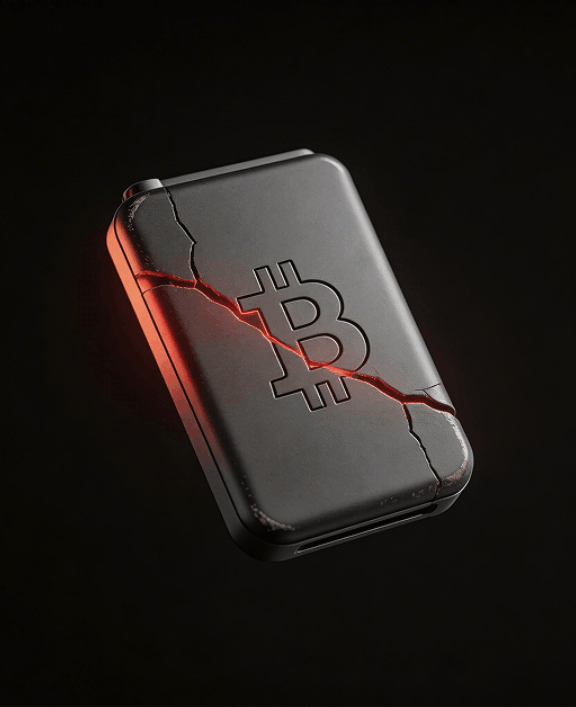
Where recovery is possible, we will outline what to do next and, when it is appropriate, help you securely move any accessible Bitcoin to a new wallet that you create and control. Where it isn’t feasible, we will explain why in plain, straightforward language so that the outcome is clear to you.
Immediate Steps When You Can’t Access Your Bitcoin
If you suspect you need to recover Bitcoin, the safest first step is to protect the device or storage that may still hold your wallet data.
Power it down, and don’t install apps, updates or recovery tools. Small DIY actions can overwrite or alter the artefacts needed to restore access.
Keep the device, charger and cables, memory cards and any related backups. Screenshot any error messages and write down what happened right before access was lost.
No factory resets, OS reinstalls, “repair disk” utilities or clean-up apps, as these can alter what is stored.
Jot down the wallet or app name, rough dates, the type of device (computer, phone or external drive) and whatever you remember about where the wallet was stored (local files, app data, notes, password manager).
A new wallet, or syncing large files, can overwrite older wallet remnants.
Don’t share a seed phrase or private keys with anyone claiming “guaranteed recovery”, and steer clear of unsolicited messages offering to get your coins back.
Security and Confidentiality
Privacy counts for as much as technical skill when you have lost access to a wallet. DriveSavers is structured for sensitive recoveries, with strict handling procedures designed to protect your device and any recovered wallet artefacts through the entire process. When recovery produces usable wallet data, we keep our focus on confidential handling and clear next steps, including guidance on securely transferring any accessible Bitcoin to a new wallet you create and control.
Data Security
During Data Recovery
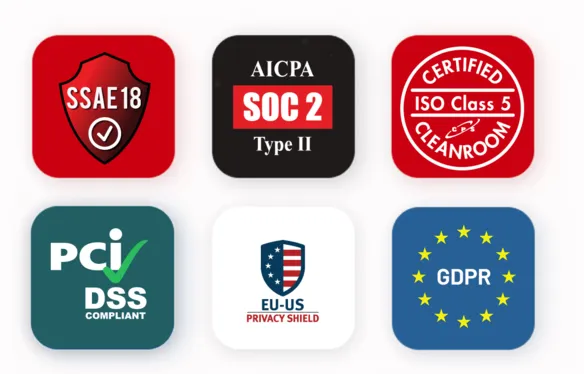
Anyone can say they're secure. DriveSavers can show it: SSAE 18, SOC 2, ISO Class 5 Cleanroom and PCI DSS, with your data handled under Australian privacy requirements. See the proof.
Reviews and Trust
Bitcoin recovery demands absolute trust. You’re trusting someone with highly sensitive data, and the wrong choice can permanently compromise your ability to regain access. Look for consistent, verified customer experiences and a recovery process that prioritises security and careful handling from start to finish.

Thousands of Verified Reviews
Frequently Asked Questions
Frequently Asked Questions
In many cases we can. The aim is to recover the wallet data sitting on the faulty or corrupted device. Please stop using the computer and have us evaluate it, so the storage is handled safely.
Sometimes it is. If the file or app data was deleted, success hinges on whether the underlying data has been overwritten. Don’t reinstall software or save new data onto the same device.
It comes down to whether wallet artefacts are still on a device or backup. If recoverable wallet data exists, you may be able to regain access with no seed phrase.
Provided the wallet files still exist, you may have options, depending on the wallet type and the artefacts available. An evaluation will show what we can attempt.
If the drive has wallet artefacts on it, recovery may still be achievable even if it won’t mount or is on its way out. Skip any DIY “repair” tools and keep the device powered off until we’ve assessed it.
There could be a way through. The important things are to preserve the device’s current state and to avoid resets or updates.
Once a Bitcoin transaction is confirmed, it can’t usually be reversed. If you’re in this situation, concentrate on preserving the records and report it via official channels.
Results vary and are often limited. Hold on to the evidence (messages, transaction IDs, wallet addresses) and be careful with anyone who promises guaranteed recovery.
We follow strict handling procedures and restrict access to authorised personnel on your case. Our process is designed to keep any recovered wallet artefacts protected throughout recovery.
We don’t recommend DIY attempts because they can do further damage. Stop using the device and avoid anything that writes new data to it, like installs, restores, resets and repair utilities. Preserving the original state can make a big difference.
Have the device type, what happened, the wallet or app name (if you know it), and any related storage or backups ready to describe. Even small details can help guide the evaluation.

DriveSavers Case Intake Form
Please give us enough information to evaluate your case.
DO NOT enter sensitive wallet data (Private Keys, Mnemonics, Seeds, etc.)
Never share sensitive information (credit card numbers, social security numbers, passwords) through this form.
This site is protected by reCAPTCHA and the Google Privacy Policy and Terms of Service apply.


 English (United States)
 English (Australia)
 French (France)
 English (UK)
 French (Canada)
 English (Canada)
 Spanish (Mexico)
 German
 Dutch
 Italian
 Finnish
 Polish
 Norwegian
 Swedish
 Danish
 Spanish (Spain)
 Chinese
 Japanese
 German (Austria)