
Recover Bitcoins with Data Recovery


What is “Bitcoin Recovery”
In most cases, “Bitcoin recovery” means recovering the wallet data or key material needed to restore access. The outcome depends on where you stored your Bitcoin and what still exists on your devices or in your backups. The four situations below will help you identify which recovery path applies.
Scenarios Where DriveSavers Can Recover Bitcoins
If you’ve lost access to Bitcoins, the problem is usually lost or inaccessible wallet data—not missing coins on the blockchain. Below are common situations where DriveSavers careful, device-based approach can recover the wallet data needed to restore access
How the Bitcoin Recovery Process Works
1 Intake: When you contact DriveSavers, as with all recovery cases, we collect specific information and provide a free overnight shipping label. For Bitcoin recovery cases, we also ask questions to help identify where wallet artifacts may exist, the condition of the original storage, what happened, and the wallet type you used (exchange vs self-custody, software vs hardware).
2 Evaluation: When the job arrives at our lab, our engineers evaluate the device using a careful, evidence-preserving approach to avoid unnecessary modifications.
3 Technical Assessment: Once the customer approves the service, we determine what wallet data may still be present (wallet files, app data, databases, logs, notes, password manager remnants) and whether the device requires specialised handling.
4 Recovery Work: When there’s recoverable bitcoin data, we attempt to extract and reconstruct the wallet data needed to restore access. Every case is different, and results depend on what still remains.
5 Results Review and Next Steps: Upon completion of our recovery efforts, our team will walk you through the results in detail. We’ll explain what wallet data or artifacts were identified, what was successfully recovered, and how those results impact your ability to restore access to your bitcoin.
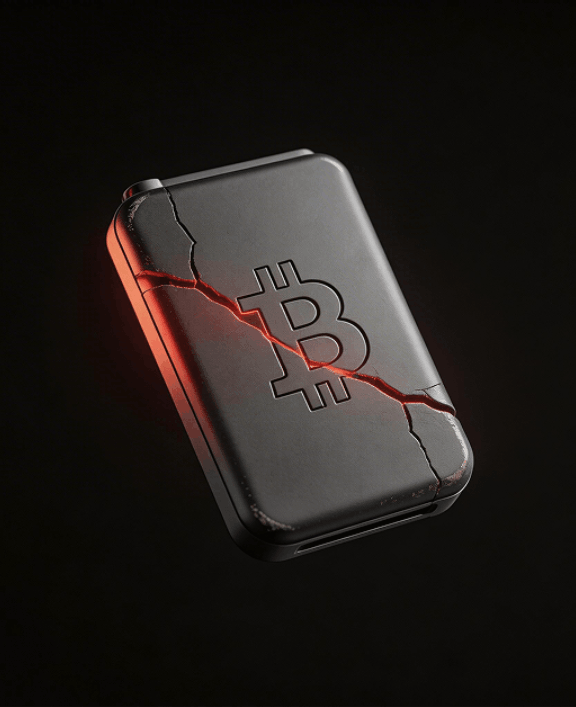
If recovery is possible, we’ll outline your next steps and, when appropriate, help you securely move any accessible bitcoin to a new wallet you create and control. If recovery isn’t feasible, we’ll clearly explain why—in plain, straightforward language—so you understand the outcome.
What to Do Immediately When Bitcoin Access Is Lost
If you suspect you need to recover bitcoins, the safest first step is to secure the device or storage where your wallet data may still exist.
Power it down and do not install apps, updates, or recovery tools. Small “DIY” actions can overwrite or alter the artifacts needed to restore access.
Keep the device, charger/cables, memory cards, and any related backups. Save screenshots of error messages and write down what happened right before access was lost.
No factory resets, OS reinstalls, “repair disk” utilities, or cleanup apps that can alter what’s stored.
Wallet/app name, approximate dates, device type (computer/phone/external drive), and anything you remember about where the wallet was stored (local files, app data, notes, password manager).
Creating a new wallet or syncing large files can overwrite older wallet remnants.
Never share a seed phrase or private keys with anyone claiming “guaranteed recovery,” and avoid unsolicited messages offering to get your coins back.
Security and Confidentiality
If you’ve lost access to your wallet, privacy matters as much as the technical work. DriveSavers is structured for sensitive recoveries, with strict handling procedures designed to protect your device and any recovered wallet artifacts throughout the entire process. If recovery provides usable wallet data, we keep the focus on confidential handling and clear next steps, including guidance on securely transferring any accessible bitcoin to a new wallet you create and control.
Data Security
During Data Recovery
In the virtual world of the web, other data recovery companies may claim to provide the same levels of experience, service, and security as DriveSavers. But, can they really support what they say? SSAE 18, SOC 2, ISO Class 5 Cleanroom, DriveSavers provides proof.

Reviews and Trust
Bitcoin recovery demands absolute trust. You’re trusting someone with highly sensitive data, and the wrong choice can permanently compromise your ability to regain access. Look for consistent, verified customer experiences and a recovery process that prioritises security and careful handling from start to finish.

Thousands of Verified Reviews
Frequently Asked Questions
About Recovering Bitcoins
Yes, in many cases, the goal is to recover the wallet data stored on a damaged or corrupted device. Stop using the computer and have us evaluate it so that the storage can be handled safely.
Sometimes. If the file or app data was deleted, recovery depends on whether the underlying data was overwritten. Avoid reinstalling software or saving new data to the same device.
It depends on whether wallet artifacts still exist on a device or backup. If there’s recoverable wallet data, it may be possible to restore access without the seed phrase.
If the wallet files still exist, there may be options depending on the wallet type and what artifacts are available. An evaluation will help determine what can be attempted.
If the storage device contains wallet artifacts, recovery may be possible even when the device won’t mount or is failing. Avoid DIY “repair” tools and keep the device powered off until it’s assessed.
There may be a recovery path. The key is preserving the device state and avoiding resets or updates.
Bitcoin transactions typically can’t be reversed once confirmed. If this happened, focus on preserving records and reporting through official channels.
Scam outcomes vary and are often limited. Preserve evidence (messages, transaction IDs, wallet addresses) and be cautious of anyone promising guaranteed recovery.
We use strict handling procedures and limit access to authorized personnel working on your case. Our process is designed to keep recovered wallet artifacts protected throughout the recovery.
DIY attempts are not recommended as they may cause further damage. Stop using the device and avoid actions that write new data to it, such as installs, restores, resets, and repair utilities. Preserving the original state can make a big difference.
Be ready to describe the device type, what happened, the wallet/app name (if known), and any related storage or backups. Even small details can help guide the evaluation.

DriveSavers Case Intake Form
Please give us enough information to evaluate your case.
DO NOT enter sensitive wallet data (Private Keys, Mnemonics, Seeds, etc.)
Never share sensitive information (credit card numbers, social security numbers, passwords) through this form.
This site is protected by reCAPTCHA and the Google Privacy Policy and Terms of Service apply.

 English (United States)
  English (Australia)
  French (France)
  English (UK)
  French (Canada)
  English (Canada)
  Spanish (Mexico)
  German
  Dutch
Dutch  Italian
  Finnish
  Polish
  Norwegian
  Swedish
  Danish
  Spanish (Spain)
  Chinese
  Japanese
  German (Austria)