

Case Study: Power Outage Triggers RAID System Failures
Client:
Retail Clothing Store
Recovery Type:
VMware on HDD RAID
Turn Around:
36 Business Days*
Location:
Stanford, CT
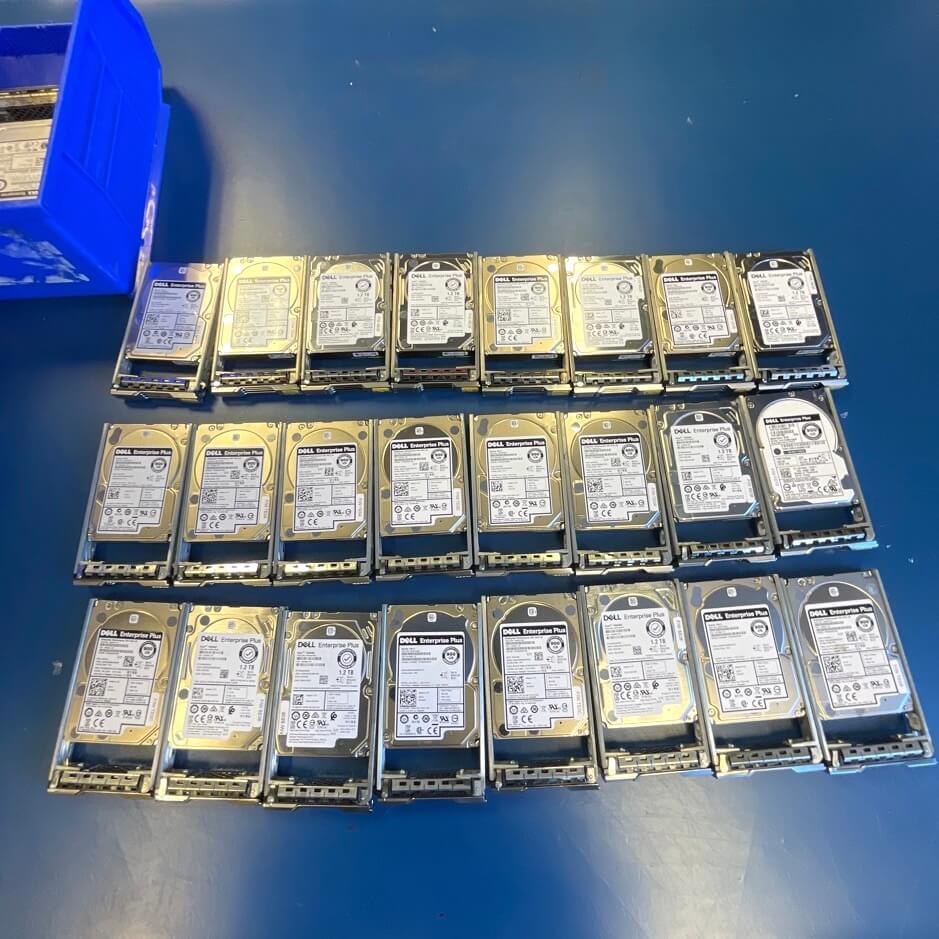
This case study examines the successful recovery of a 48xHDD 2 Member Dell EqualLogic system, which experienced multiple hard drive failures. The system comprised 44 drives configured as a single storage pool split into two members, each containing two RAID 50 arrays, with an additional four drives serving as unused hot spares.
The complex nature of the data recovery process highlights the expertise and innovative approaches required to retrieve critical data from advanced storage solutions.
Faced with a proprietary Dell EqualLogic system that defied standard recovery tools, DriveSavers developed a custom solution, successfully recovering crucial data from an extremely complex setup where others might have failed.
During an initial imaging attempt of the drives, images of 43 HDDs were successfully obtained, leaving five drives unimaged. The Dell EqualLogic system used a proprietary mechanism for dynamic block allocation for the Logical Unit Numbers (LUNs), significantly complicating the recovery process. With no commercial tools available to interpret the Dell EqualLogic structures, DriveSavers was contacted for its expertise in managing intricate systems and its reputation for developing specialized tools.

The analysis revealed that all five missing HDDs were part of Member B, affecting one of the RAID 5 arrays with a double failure. The unique architecture of the Dell EqualLogic system meant that an I/O error could lead to exponential data loss, potentially rendering crucial data unrecoverable, especially if vital metadata was affected.
DriveSavers developed custom tools to interpret and manage the system’s unique structures, addressing the challenges posed by the Dell EqualLogic’s proprietary block allocation mechanism and the significant data loss risk from the RAID 5 double failure. This innovative approach identified the two critical failed drives within the affected RAID 5 array.
Efforts in the cleanroom to extract data from the physically damaged drives proved successful, allowing the logical engineers to start the recovery process on the drive images. This provided access to the system’s contents, including ten different LUNs with sizes ranging from a few GB to 11 TB, formatted in both VMware VMFS and NTFS, containing numerous virtual machines and millions of files.
The recovery of the Dell EqualLogic system demonstrates the complexity and challenges associated with modern data recovery operations, especially when dealing with proprietary and advanced storage technologies.
Through the development of custom tools and the meticulous efforts of the DriveSavers recovery team, crucial data was successfully retrieved from a system that presented multiple layers of failure and data loss.
This case underscores the importance of working with data recovery professionals that have specialized knowledge and experience in developing custom tools in the field of data recovery.
*DriveSavers Standard Turnaround times are 1-2 Business days, Economy 5-7 Business days, and Priority 24/7 service – on occasion, unique circumstances require more time and are approved by the customer.
Choose How We Recover Your Data
Call us and our skilled Australian team will work directly with you to find the best recovery solution. Most recoveries happen at our secure facility, but some complex server setups, including RAID, NAS and SAN systems, can need a more flexible approach. We offer several options, with the utmost respect for your company’s security protocols and any limits on moving equipment.
At our Australian centre
Most devices come to our certified secure facility, where they’re recovered under our Economy, Standard, or Priority service.
Remote
For many data loss situations without mechanical or physical damage, we offer a secure Remote Data Recovery service.
Onsite
In certain data loss scenarios, we can also carry out Onsite Data Recovery.

 English (United States)
 English (Australia)
 French (France)
 English (UK)
 French (Canada)
 English (Canada)
 Spanish (Mexico)
 German
 Dutch
 Italian
 Finnish
 Polish
 Norwegian
 Swedish
 Danish
 Spanish (Spain)
 Chinese
 Japanese
 German (Austria)