


Hard Drive Failure Recovery in the UK
DriveSavers has been recovering data from hard disk drives (HDDs) with mechanical faults since 1985.
Our data recovery engineers work in a sterile cleanroom to reduce the risk of contamination, and use proprietary tools of our own to extract data from damaged HDDs and retrieve critical files.


When a Hard Drive Fails Mechanically
If your hard drive has failed mechanically, you are far from alone. Technology has advanced a great deal, yet mechanical failure and other kinds of hard disk drive (HDD) failure remain common. Some manufacturers report that roughly 1.5% of hard disks fail each year, and that a disk lasts between 4 and 7 years on average, depending on its specification.
Why Choose DriveSavers?
In data recovery from HDDs with mechanical failure, DriveSavers has the highest success rate in the industry. Our engineers work in a sterile cleanroom to cut the risk of contamination, and our proprietary tools allow us to extract customers’ data from damaged HDDs and successfully remove sensitive files.
- More than 40 years of experience: We have helped hundreds of thousands of customers who lost data.
- Certified ISO 5 Cleanroom: DriveSavers invested more than US$2 million in building the most advanced cleanroom in the world, which meets manufacturers’ standards. This dust-free, static-free environment helps us maintain the highest success rate in the industry.
- Approved by manufacturers: The world’s leading storage and computer manufacturers recommend and authorise us. Our work will never compromise your warranty cover, and only DriveSavers can make that guarantee.
- Outstanding customer service: Every member of the DriveSavers team is committed to our customers’ complete satisfaction. Call us at any hour, day or night, and see our exemplary service and superior expertise for yourself.
How Specialists Recover Data from a Mechanically Failed Hard Drive
If your hard drive is damaged for any reason, do not try to recover the data or fix the fault yourself. DIY attempts often cause extensive damage to the HDD, which can rule out any later recovery.
A hard drive is a highly sensitive part of your computer, made up of many delicate components that call for careful handling. A sudden movement can shift parts inside the drive or cause the read/write heads to touch the magnetic disks, and data may be lost as a result.
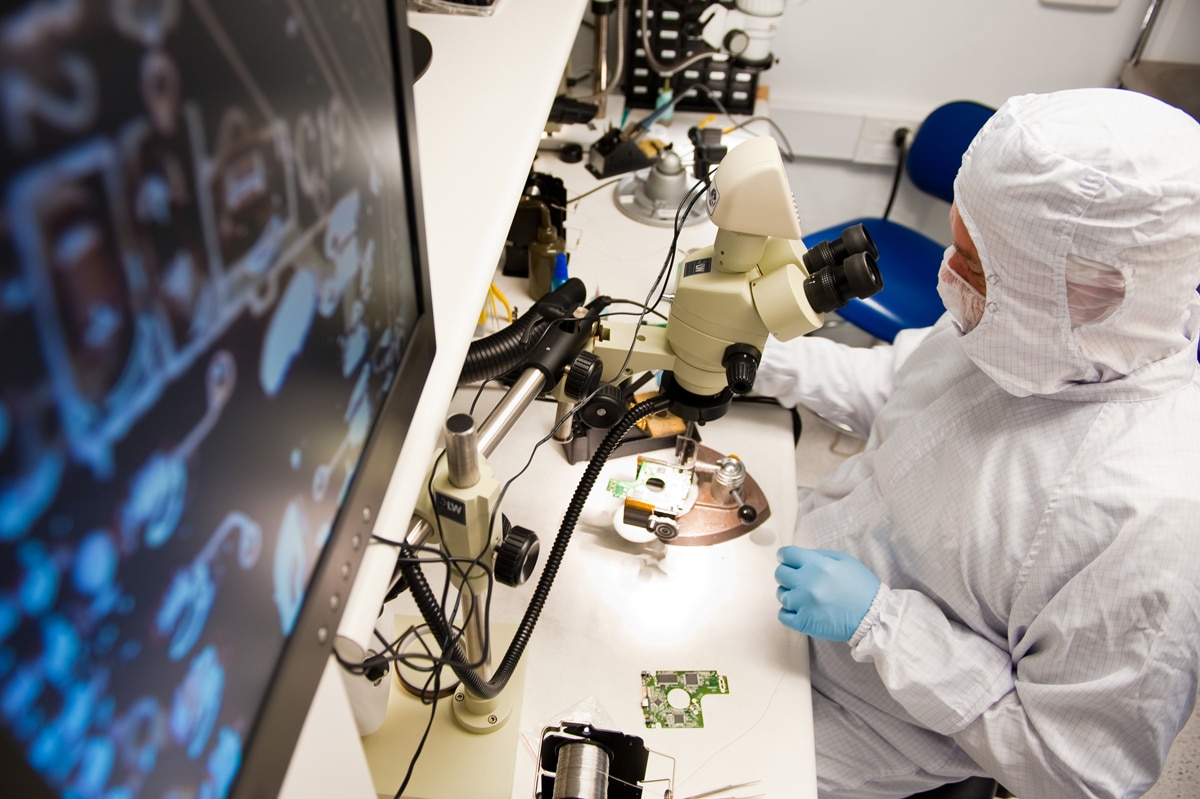
When we retrieve data from an HDD that has failed mechanically, our data recovery specialists inspect every component that may be damaged, then repair or replace it. Because the drive heads and magnetic platters are so sensitive, all repairs take place in a Certified ISO 5 Cleanroom .
An ISO 5 cleanroom is essential to protecting the magnetic disks in your HDD. Almost every particle is filtered out of the lab air, preventing the irreversible data loss that can occur if even a handful of particles land on a disk surface. This is one of the reasons why it pays to trust the specialists.
Learn more: Hard Drive Data Recovery: Microscopic Particles Can Cause Huge Damage
Once the components have been repaired, our specialists clone the HDD by transferring the raw data to a working device. They then decode the cloned data into usable files, which the customer can move to a working computer.
What Does Mechanical Failure Mean?
Mechanical failure happens when the moving parts of an HDD stop working, for a variety of reasons. It affects only HDDs and never solid state drives (SSDs), because SSDs have no moving parts, although they can suffer many other kinds of failure.
An HDD reads and writes data using a mechanical actuator arm that moves over a spinning storage disk. Laptop drives can spin at up to 7,200RPM, and some server drives reach 15,000RPM. All that movement causes wear and tear over time, which eventually leads to mechanical failure of your HDD.
Because the movements inside an HDD are so sharp and precise, even the slightest mechanical fault can lead to data loss and the need for data recovery.
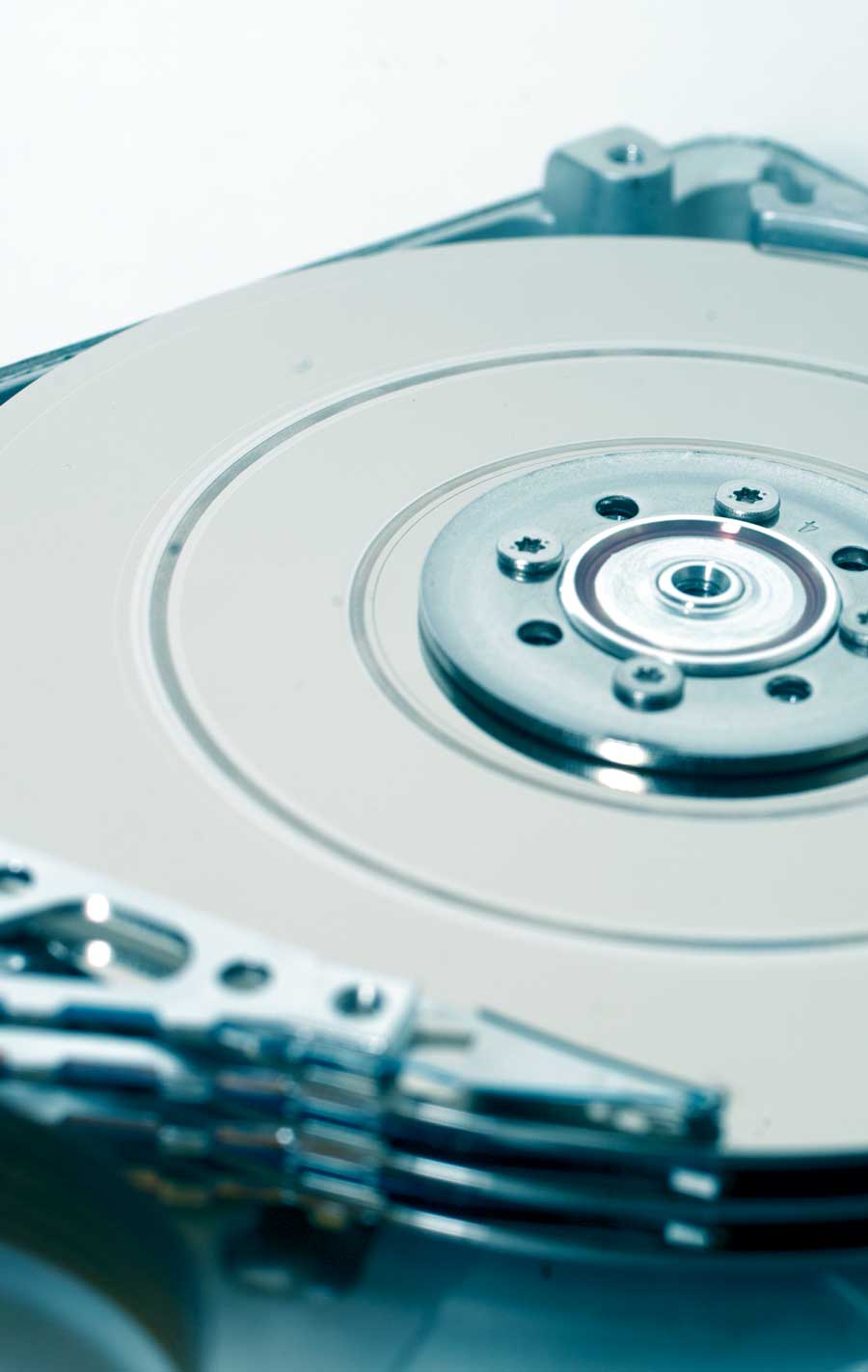
BY MECHANICAL FAILURE
Typical Signs of Mechanical Failure
- Strange noises: If your HDD makes unusual sounds while running, something is clearly wrong with the disk. These can include clicking, beeping, whirring, grinding, scraping and more.
- A sharp smell of burning electronics: This is a clear sign of a serious problem with your hard disk. If you notice it, make sure the device is not connected to any power source and contact DriveSavers.
- Your computer cannot see the hard drive: If the computer fails to recognise the drive, or the drive will not mount, it is time for a professional to take a closer look.
- Files gone missing: Folders that vanish or become corrupted can be a symptom of mechanical failure. When the drive’s heads give way, they can no longer read or write data properly, and files become corrupted.
- Very slow performance: Is your computer extremely sluggish, or slow to a crawl? That can point to damage to the spindle or to the drive’s heads.
The signs of mechanical failure differ according to how badly the components of the HDD are affected. If the read/write heads are not properly aligned, the drive may fail to recognise certain files. In many cases, a complete read or write crash can mean permanent data loss if the heads come into contact with the magnetic disks that hold the data.
If your hard drive has failed mechanically, choose a reputable data recovery company such as DriveSavers, whose combined experience covers every kind of HDD mechanical failure. Businesses and individuals alike do not always back up regularly, and you may well have a great deal of sensitive data to get back. To prevent permanent data loss, call DriveSavers straight away so that recovery can begin without delay.
Why Does Mechanical Failure Happen?
Many things can cause an HDD to fail mechanically.
- Overheating: A common cause. Too much heat damages the mechanical actuator arm of the HDD and increases wear and tear.
- Environmental factors: The conditions your computer operates in directly affect how well the HDD works. Poor ventilation can cause permanent damage to the controller board.
- Excessive vibrations: More vibration also leads to mechanical failure, especially when it interferes with read/write head tracking. Abrupt vibrations can knock the read/write heads out of position and risk data loss that calls for recovery, particularly where parts are not firmly fixed to the computer’s chassis.
- Sudden electrical surges: Unexpected electrical shocks can also cause HDD failure. Power cuts, an unstable power supply and power surges can all damage your hard drive.
Not every hard drive shows signs of wear before it fails mechanically, so back up your files regularly to avoid losing data. Bear in mind that many non-mechanical faults produce the same symptoms as mechanical failure. Common non-mechanical faults include:
- Virus damage
- Accidental deletion of data, or human error
- Formatting problems
- Power failure
- Corrupted files
Most HDDs last 4 to 7 years on average, so it is normal for gradual wear and tear to end in damage and mechanical failure. Like any electronic device, your computer is built from components that wear out over time. As the years pass, these parts can no longer cope with the workload your hard drive is expected to handle, or have to work harder to process information, which puts still more strain on parts that are already worn. Hard drives can store many terabytes of data, but every HDD works mechanically, and its mechanical parts will eventually give way.
Other factors, such as constant power problems, manufacturing defects and heavy use of the computer, can also lead to mechanical failure.
What to Do If Your Hard Disk Fails Mechanically
If you think your hard disk is damaged, or it shows any of the symptoms above, switch your computer off straight away and call DriveSavers. Make a note of any signs that pointed to hard drive failure and pass them on to the DriveSavers data recovery adviser who takes your call.
Our specialists can quickly diagnose why your hard drive has failed, and can give you a cost estimate and the turnaround time for recovery. Do not try to retrieve the data or recover the drive yourself, as this can cause further damage to the media and permanent data loss.
All Operating Systems | All Storage Media
DriveSavers works closely with all storage device manufacturers and leading computer vendors to help guarantee your original equipment’s warranty is never compromised.
Why Hundreds of Thousands of our Customers Choose DriveSavers





 English (United States)
 English (Australia)
 French (France)
 English (UK)
 French (Canada)
 English (Canada)
 Spanish (Mexico)
 German
 Dutch
 Italian
 Finnish
 Polish
 Norwegian
 Swedish
 Danish
 Spanish (Spain)
 Chinese
 Japanese
 German (Austria)