




SD Camera Card Data Recovery
Lost Precious digital photos or videos from an SD card, micro SD card, or other flash memory card? We can save it!
DriveSavers—the worldwide leader in flash memory data recovery services—was the first company to successfully recover lost images from digital cameras and the first data recovery company referred by Canon, Kodak, Nikon, Olympus, and Sony. Today, all major SD, flash, and other digital camera memory card manufacturers refer their customers to DriveSavers.
Why Choose DriveSavers
DriveSavers provides a comprehensive range of advantages in SD card data recovery.
Expertise and Experience
With over 40 years in the industry, our certified engineers have successfully recovered data from thousands of SD cards.
Advanced Technology
We use cutting-edge tools and techniques during SD recovery to ensure the highest recovery success rates.
Data Security
Your data’s privacy and security are our top priorities. We are SOC 2 Type II certified and follow strict protocols to protect your information.
No Data, No Charge
We offer a no-data, no-charge policy. If we can’t recover your data, you don’t pay a dime.
24—48 Hours
Our Standard service is industry-leading, with a turnaround of 24 to 48 hours.
Call 24/7
Speak to an experienced Data Recovery Advisor at any hour, day or night, on UK freephone.
Supported SD Cards
DriveSavers provides comprehensive data recovery solutions for a wide range of SD media formats. Our expertise encompasses the following SD card types:
- SD (Secure Digital): Standard capacity cards typically used in cameras and other portable devices.
- SDHC (Secure Digital High Capacity): High-capacity cards that offer larger storage options for advanced applications.
- SDXC (Secure Digital Extended Capacity): Extended capacity cards designed for even greater storage needs, commonly used in high-performance devices.
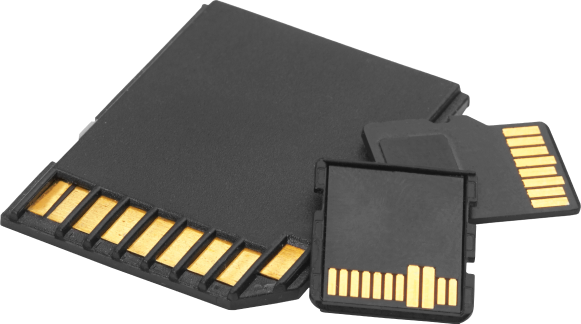
- MicroSD: Compact form factor cards used in smartphones, tablets, and other compact digital devices.
- MiniSD: Mid-sized cards that bridge the gap between standard SD and MicroSD, often used in older mobile devices.
DriveSavers specialises in recovering data from these various types of SD cards, ensuring that no matter the format, your valuable data is retrievable.
Common SD Card Data Loss Situations
DriveSavers offers expert SD Card data recovery solutions for any cause of data loss, ensuring your critical information is retrievable regardless of the circumstances. Our capabilities include recovering data from:
- Accidental Deletion
- Corrupted SD Card
- Physical Damage
- Water Damage
- Fire Damage
- File System Errors
Digital Camera Card Data Recovery
DriveSavers has successfully recovered corrupt or deleted files and other types of data from digital camera cards since they first became popular with professional photographers and enthusiasts alike. We recover data from all types of digital camera storage media, including CompactFlash, SD Cards, SDHC, microSD, and others.
We are familiar with all the manufacturers, including SanDisk, Kingston, Lexar, PNY, Transcend, PQI, Toshiba, Samsung, Sony, Delkin Devices, and more.
Our engineers are experienced in recovering lost photos and videos due to deletion, re-formatting, damage, or corruption. We use specialised tools and techniques to ensure the highest possible SD data recovery rates.
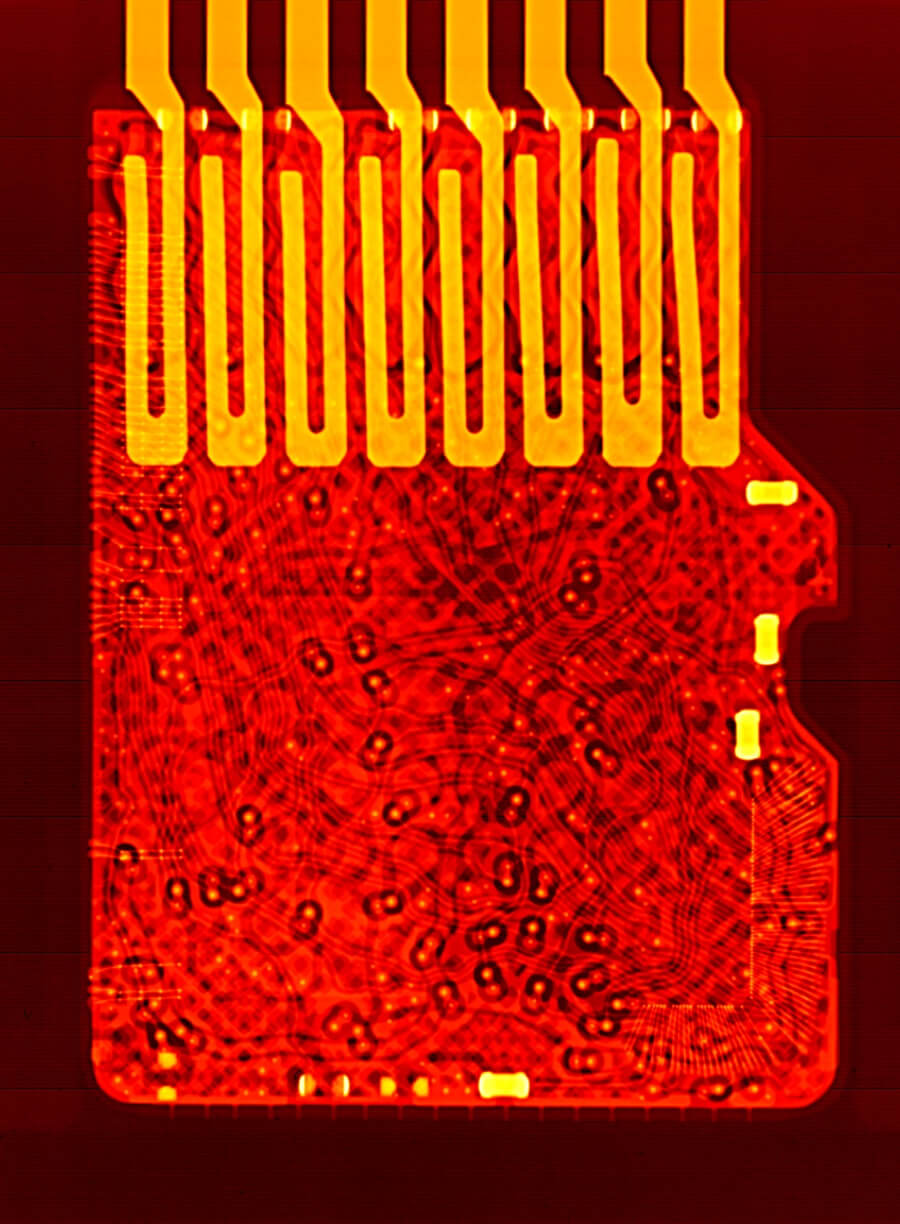
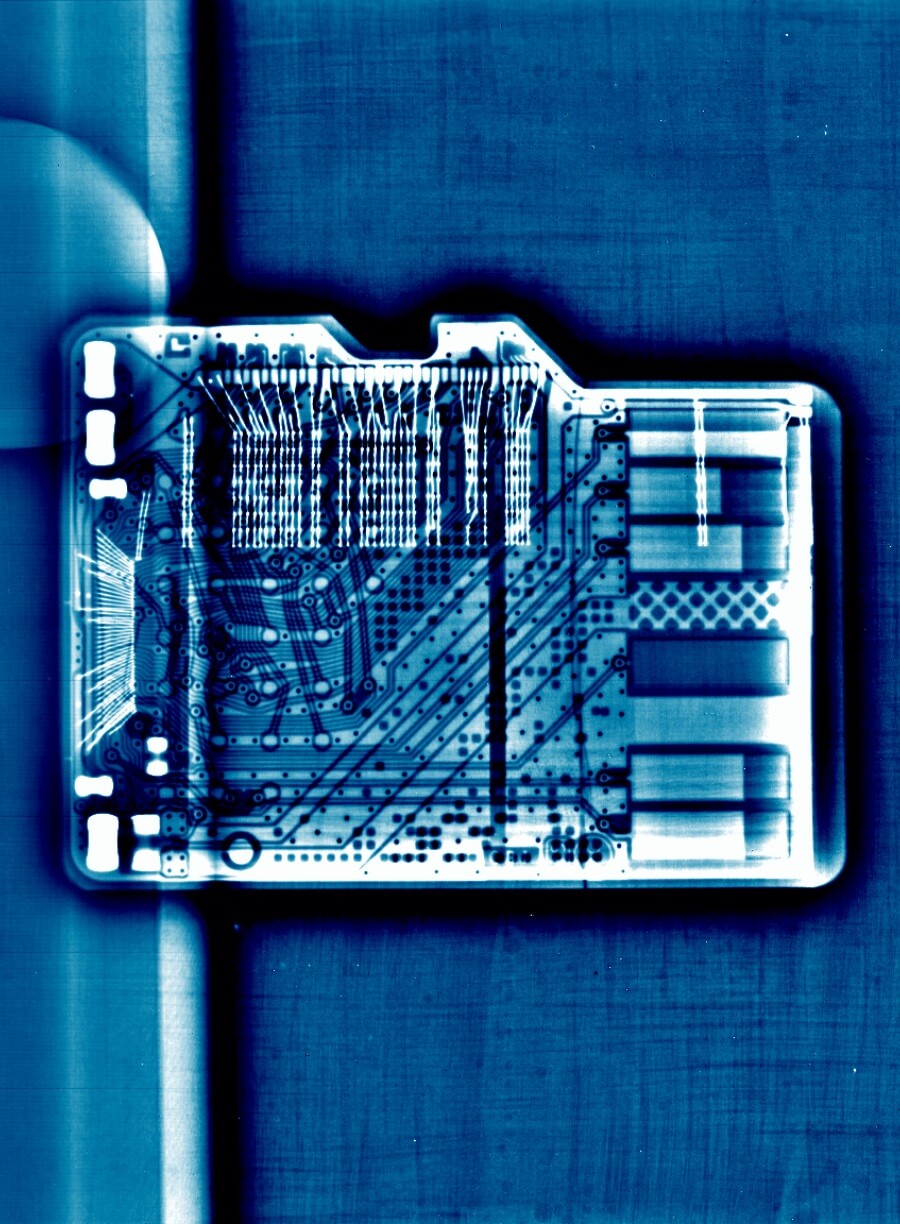

X-Ray Technology
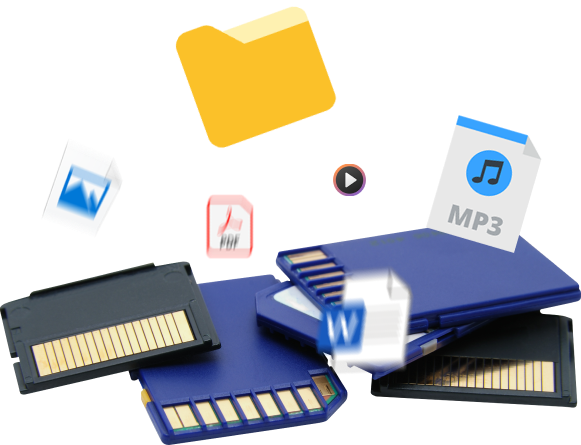
We use X-ray imaging to diagnose storage media precisely, spotting irregularities and critical damage without risking the device. It lets us confirm suspected component failure, widens what we can recover and validates our ball grid array (BGA) rework. Noother data recovery service has this technology in its lab.
Manufacturer Approved
All leading storage media manufacturer authorise DriveSavers to open the sealed mechanism of its drives without voiding the original warranty. Because our recovery service is certified, you are also entitled to an in-warranty replacement device direct from the manufacturer.



SD Card Data Recovery Process
DriveSavers utilises advanced techniques and proprietary tools to ensure the highest success rate in SD Card data recovery. Never assume data is unrecoverable. Call for a free estimate, our Data Recovery Advisers are available 24/7.
Evaluation
Send us your SD card for a free evaluation. Our engineers will assess the damage.
Recovery
Once you approve, we will proceed with the recovery process using specialised tools and techniques.
Data Delivery
After successful recovery, we will return your data on an external device.
SD Card Data Recovery FAQs
The recovery process typically takes 1-3 days to restore data from an SD card, depending on the complexity of the data loss scenario.
Yes, our experts are trained to handle physically damaged SD cards using advanced recovery techniques.
Absolutely. We follow stringent security protocols to ensure your data’s confidentiality and integrity.
Tips for Preventing Data Loss on Digital Camera Cards
Digital photography and flash memory can lead to a range of data loss problems. DriveSavers Data Recovery has put together these tips to help you avoid data loss and look after your flash memory camera cards properly. If you have deleted images or videos, see an error message, or cannot view the images on your camera card, call DriveSavers. We can save it!®
Back up your images
Move the images from the camera's flash memory to your computer's hard drive as soon as you can. Never delete images or reformat the memory card while it is still in the camera, and do not do either until every photo and video has been transferred, checked and backed up.
Check the transfer
Open the images on the hard drive before you reformat the digital memory card.
Transfer your photos
Move the images from the camera's flash memory to your computer's hard drive as soon as you can. Never delete images or reformat the memory card while it is still in the camera, and do not do either until every photo and video has been transferred, checked and backed up.
Follow the correct steps
Take care when removing flash memory from the camera or a card reader. Make sure the camera is switched off before you take out the memory card. To avoid deleting or corrupting images, use the "Eject" command on the computer and drag the card icon from the desktop to the trash (Mac), or click the icon to "securely eject mass storage device" (PC), before you physically remove the card.
Look after your SD, flash and other memory cards
Keep them in their plastic cases when you carry them. Even a little static can damage a card and make it unreadable, and a plastic case stops a card snapping in your pocket.
Keep more than one copy
Back up your backup media and store a duplicate copy in a secure place away from your home or office.

Call DriveSavers Day or Night
We'll send you a complimentary shipping label to our UK data recovery centre in Basildon or Epsom and keep you informed every step of the way by our dedicated British team. Once our evaluation is complete, we'll contact you with the results and a clear quote for your data recovery service. If your data cannot be recovered — or if you decide not to proceed — you won't pay a thing.

 English (United States)
 English (Australia)
 French (France)
 English (UK)
 French (Canada)
 English (Canada)
 Spanish (Mexico)
 German
 Dutch
 Italian
 Finnish
 Polish
 Norwegian
 Swedish
 Danish
 Spanish (Spain)
 Chinese
 Japanese
 German (Austria)