

Data Recovery After a Ransomware Attack in the UK


Specialist Data Recovery for Ransomware Attacks
Our engineers use tools and methods developed for data that ransomware has locked or damaged. Whether you are yet to contact the threat actor or have already done so, we can help with:
Hit by Ransomware?
Act Straight Away
Please note: disconnecting is not the same as switching off.
If you cannot take devices off the network, powering them down may be the best way to stop the infection spreading. Be aware, though, that doing so can wipe evidence held in volatile memory, so use this option only when nothing else is possible.
Working with DriveSavers when ransomware strikes helps you limit the harm to your data and systems and gives you a better chance of getting your important data back.

No matter the scale or severity of the ransomware attack, our data recovery solutions are optimised to help you recover your data as quickly and efficiently as possible.
It is critical to contact DriveSavers as soon as possible for optimal data recovery success, whether or not you’ve already contacted the attacker. We provide a free consultation to help you understand appropriate courses of action and review alternative, less expensive, and more time-effective solutions. It should be noted that paying the ransom does not ensure that the victim will receive the decryption key or regain access to their files.Mike Cobb — Director of Engineering
Data Recovery for the Cyber Security Sector
DriveSavers is a specialist in advanced data recovery for the cyber security sector. Drawing on deep sector knowledge and leading-edge techniques, we recover business-critical data after ransomware attacks, supporting business continuity and operational security.
Digital Forensics
Forensic firms work with us because we already know their tools and processes. That familiarity lets us collaborate with forensic teams while images are being collected, which speeds up recovery.
Incident Response
IR firms choose DriveSavers because we understand threat actor communications, negotiation and the wider IR process. We can therefore fit our recovery work around our IR partners’ timelines.
Data Privacy Law Firms
Breach coaches who need a fast answer on how complex the data loss is, what risks it carries and whether recovery is possible have found us a qualified supplier. We know work must be carried out under legal privilege, and we keep counsel informed of how recovery is progressing.
Restoration Services
We give restoration teams quick, transparent options for reaching business-critical information. We can also recover data damaged by decryptors that do not work, or made unreadable by encryption.
Insurers
We appreciate the cost of business interruption and the urgency of returning policyholders to their pre-breach, working state. We respond quickly and provide a rapid recovery assessment that gauges whether recovery is viable and may offer an alternative to paying the ransom.
Data Security
During Data Recovery
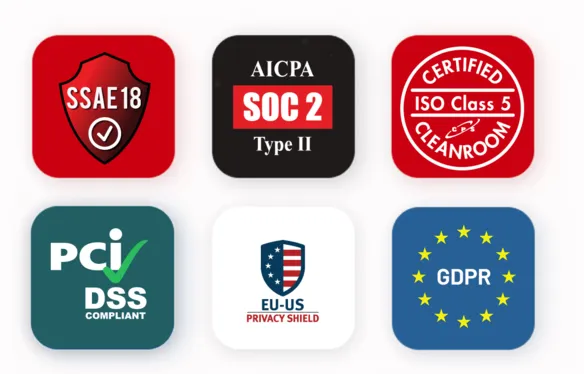
Plenty of data recovery companies claim the same experience, service and security as DriveSavers. We can back it up: SSAE 18, SOC 2, ISO Class 5 Cleanroom, PCI DSS and UK GDPR. See the proof.
Why Choose DriveSavers for Ransomware Data Recovery?
DriveSavers has been recovering data since 1985 and has a proven track record. Our proprietary, leading-edge techniques and experienced engineers allow us to find alternative routes to recovery, which could remove the need for a decryptor. Our secure facility is monitored around the clock, so your data stays protected.
About the SOC 2 Type II Audit
Every year, DriveSavers is audited against SOC 2 Type II for the controls governing how we host and process data internally. This confirms that our data recovery services meet the strict security and privacy requirements set by the corporate and government clients we work for.
Our annual SOC 2 Type II audits are conducted by independent control professionals from IS Partners, LLC, a CPA firm specializing in information security and compliance. Audits are performed continuously on a twelve-month “look back” cycle to ensure our security controls strictly operate as intended year-round. Our full SOC 2 Type II report is available upon request.
Real Result: DriveSavers Case Study
Law firm data restored: SQL Server databases, backups and virtual machines recovered after a ransomware attack.
Our recovery experts used secure remote methods and bespoke, purpose-built tools to bring back every critical SQL Server database, Veeam backup and set of virtual machine data.
Ransomware criminals commonly go after valuable or sensitive data held by individuals, businesses and organisations, because victims are more likely to pay to avoid losing data, suffering financial harm or damaging their reputation.
Contact DriveSavers before you get in touch with the attacker and find out about our ransomware recovery options. They may recover more of your data than paying the threat actor would.



An Introduction to Ransomware
Ransomware has emerged as one of the most serious cyber security threats in recent years, affecting individuals, businesses, and organisations alike.
Ransomware is malware that gets into a computer or network, encrypts the victim’s data and then demands payment for the key needed to unlock it. The aim is financial: attackers want to extort money. Strains differ in the encryption methods and tactics they use, but all of them hold data hostage until a ransom is paid. Some attackers go further and threaten to publish private information to push the victim into paying. These attacks are not always about seizing data and destroying it; more often the attacker keeps the data hostage, or threatens to expose it, until the ransom is handed over.
Ransomware is a leading cyber security threat, capable of disrupting businesses, public bodies and individuals. It exploits weaknesses in a computer system or network, often through phishing emails, malicious downloads or compromised websites. Once inside, it spreads fast, locking or encrypting files and demanding payment to release them. The effects on an organisation can be severe: lost data, financial strain, damaged reputation and possible legal consequences.
Understanding Ransomware
To defend against ransomware and respond to it well, you need to know how it exploits weaknesses and what it is trying to achieve.
Ransomware typically gets onto a computer or network through phishing emails, malicious attachments, compromised websites or by exploiting software vulnerabilities. Once it has access, it encrypts the victim’s files or locks the system, leaving the data out of reach. Without the decryption key, the encryption is strong and often impossible to break.
When encryption is finished, a ransom note appears telling the victim how to pay, normally in cryptocurrency, and by when. If the deadline passes, the attackers may threaten to delete the encrypted files, raise the ransom or leak sensitive information.
Ransomware is designed to extort money from victims by encrypting, and possibly exfiltrating, their data. To do this it:
- Uses a range of attack routes to get into a computer or network.
- Applies advanced encryption algorithms to encrypt files or lock systems.
- Demands a ransom from the victim in return for the decryption key.
- In some cases, steals sensitive information to use as leverage.
- Exfiltrating sensitive information to use as leverage in some cases.
Recognising a Ransomware Attack
Detecting and recognising ransomware early in the infection process is crucial to minimise its impact on your data and systems.
Familiarising yourself with the common signs of a ransomware attack can help you take swift action to mitigate the damage and improve your chances of recovering your files.
Ransomware can manifest in a variety of ways, but the following are some common indicators of a ransomware infection:
- Suddenly inaccessible files: You may notice that your files are suddenly inaccessible, with their icons replaced by unknown file types or blank placeholders. This is frequently caused by ransomware encrypting the files.
- Ransom note: A ransom note is typically displayed on the victim’s screen or within affected folders during a ransomware attack. The note usually includes information about the attack, instructions on how to pay the ransom, and a payment deadline.
- Changed file extensions: File extensions are frequently changed by ransomware, rendering the encrypted files unrecognizable to the operating system. The new extensions could be at random or linked to a specific ransomware strain (e.g., .locky, .wannacry, .crypt).
- Unusual system behavior: You may notice your computer or network running slower than usual, programs crashing, or increased hard drive activity, all of which may indicate that ransomware is encrypting files or spreading across the network in the background.
- Suspicious emails or attachments: Ransomware frequently infects systems via phishing emails that contain malicious attachments or links. Be wary of unexpected emails, particularly those that include unusual file attachments or links to unfamiliar websites.
How Ransomware Attacks Happen
It pays to be proactive about protecting your systems from ransomware.
Solid security habits, such as keeping software and operating systems up to date, using strong passwords and backing up data regularly, can lower the risk of an attack.
Training staff to spot phishing emails and suspicious attachments can also help stop infections before they start.
Attackers can launch ransomware in several ways, including:
- Phishing emails: Attackers often use phishing messages to persuade recipients to click malicious links or open infected attachments. These emails may seem to come from a trusted sender or carry an urgent request designed to prompt a quick reaction.
- Exploit kits: Cybercriminals use these toolkits to take advantage of known weaknesses in software or operating systems. With them, ransomware can be delivered to a target system without the user doing anything.
- Remote Desktop Protocol (RDP) attacks: RDP is widely used to access and manage computers remotely. If RDP credentials are weak, or the protocol has vulnerabilities, attackers can get in and deploy ransomware.
- Malvertising: This means planting malicious code in legitimate online advertising networks. Simply visiting a website that shows the rogue advert can be enough to catch ransomware, even if you never click it.
The Consequences of Ransomware Attacks
Understanding what ransomware attacks involve and what they can lead to helps you build effective ways to prevent, detect and respond to them, and so reduce the impact on your data and systems.
Ransomware can have grave consequences for individuals and businesses, such as:
- Data loss: Many victims cannot get their encrypted data back, either because they have no backups or because the ransomware has also compromised the backups.
- Financial impact: An attack can be costly: the ransom itself (if paid), recovery expenses and lost revenue from downtime or reputational harm. Remember that paying does not guarantee you will receive the decryption key or regain access to your files.
- Disruptions in daily operations: Ransomware attacks can cause significant disruptions in daily operations, as organizations may be forced to halt operations while attempting to recover their data or restore their systems.
- Disruption to daily operations: Organisations may have to stop working while they try to recover data or restore systems, causing serious disruption.
- Legal and regulatory consequences: Organisations that fail to protect sensitive data or to comply with data protection law and regulation may face legal action or penalties.
Responding to a Ransomware Infection with DriveSavers
When ransomware strikes, act quickly and take sensible precautions to contain the damage and improve your chances of recovering your data.
If ransomware gets into your systems, following these steps and working with DriveSavers can limit the damage to your data and systems, improve your chances of recovery and make future attacks less likely.
Here is what to do if ransomware gets in, and where DriveSavers can help:
- Disconnect: Take the affected device(s) off the network at once so the ransomware cannot reach other devices or systems. That includes Wi-Fi, plus any connected external devices or cloud storage services.
- Isolate the affected device(s): Switch off shared network resources and disable remote access to the infected devices. This helps contain the ransomware and limit further damage.
- Preserve evidence: Keep a copy of the ransom note, any suspicious emails or attachments and any other artefacts linked to the attack. Cyber security specialists or the police may need them for their investigation and recovery work.
- Speak to DriveSavers: Get in touch for expert help. Our specialists can assess your options, guide you through recovery and help you judge whether your data can be returned.
- Put your incident response plan into action: If your company has one, follow it so your response to the attack is coordinated.
- Inform the right people: Tell your IT department, security team or managed service provider about the infection. Depending on your jurisdiction and the data involved, you may also have to report the incident to the police or a regulator.
- Establish how far the infection has spread: Work out which files, devices or systems are affected and which ransomware strain is involved. This will guide your choice of recovery approach.
- Speak to DriveSavers: Get in touch for expert help. Our specialists can assess your options, guide you through recovery and help you judge whether your data can be decrypted.
- Keep stakeholders informed: Update employees, customers and partners on what is happening and be open about the action you are taking, including working with DriveSavers to recover your data.
Paying is not your only choice, and it may not be the best one, for these reasons:
- for the following reasons:
- Paying the ransom leads to full recovery of all data in as few as 4% of cases.
- Paying shows the threat actor how much your data is worth to you, and can invite double or even triple extortion.
- A ransom payment funds criminal activity and, in some cases, is itself illegal and could lead to prosecution.
- Using a professional data recovery company can be a more complete, faster and cheaper way to get your data back, without funding crime.
DriveSavers uses tools we have designed specifically to recover data compromised in a ransomware attack.
Our recovery solutions for ransomware-affected systems include:
- Tailoring tools to each individual data loss scenario
- Repairing corrupt files after decryption
- Retrieving earlier or alternative copies of data that remain unaffected, including from copy-on-write systems
- Searching for and recovering data from alternative sources, including tape and cloud storage
If ransomware gets into your systems, following these steps and working with DriveSavers can limit the damage to your data and systems, improve your chances of recovery and make future attacks less likely.



Businesses Worldwide Choose DriveSavers
DriveSavers supports over 20,000 data recovery business partners worldwide. Your business could be next! DriveSavers is proud to count world-renowned organisations among its satisfied clients — including Coca-Cola, Meta, Google, AT&T, Sony, and NASA.


 English (United States)
 English (Australia)
 French (France)
 English (UK)
 French (Canada)
 English (Canada)
 Spanish (Mexico)
 German
 Dutch
 Italian
 Finnish
 Polish
 Norwegian
 Swedish
 Danish
 Spanish (Spain)
 Chinese
 Japanese
 German (Austria)