


A magnetised case, a sheet pan, and an iPhone that accidentally joined dinner.
Google Pixel Data Recovery from Complex Board-Level Failures

Google Pixel Data Recovery
from Complex Board-Level Failures
A non-functional Google Pixel phone was sent to DriveSavers after it stopped powering on and showed no signs of life — no boot behavior, no vibration, no screen activity, no charge response, and no measurable current when connected to power.
The customer, a technically knowledgeable repeat client, urgently needed his personal files recovered — especially photos, videos, and messages from recent years. This case turned into a high-stakes, multi-stage Google Pixel recovery effort that involved board-level repairs and specialised Android data extraction tools. Despite the phone’s complete hardware failure, our team recovered over 91 GB of critical data from the device.
Initial Problem: A Non-Responsive Pixel Device
The Google Pixel device arrived at DriveSavers with symptoms common in phones with failed boards or severely damaged chips that often lead to the assumption that the data is lost for good.
DriveSavers engineers confirmed there was no activity on the key communication lines between the CPU and other components on the board. Although there was no visible physical damage, signal probing revealed a deeper problem: a break in the connection between the processor and the logic board.
Step One: Rebuilding the CPU Connection
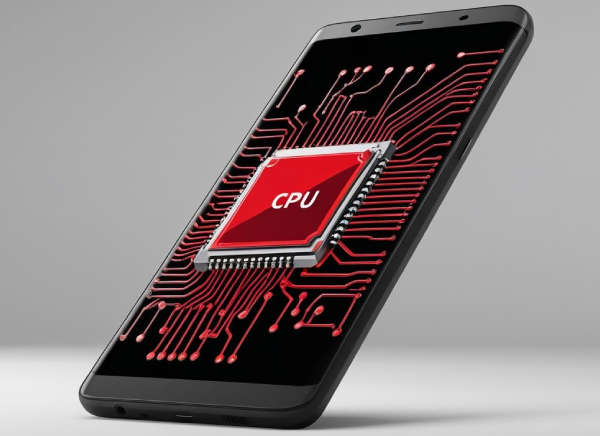
Using hot air BGA rework equipment under a microscope, the DriveSavers engineering team removed the CPU from the Pixel phone, cleaned both the chip and the board, and then rebuilt the connections through a process known as reballing. This step is extremely precise — any misalignment can cause permanent damage to nearby components.
Once the CPU was reinstalled and soldered back in place, data recovery engineers saw signal activity resume across the lines that had previously been identified as dead. This confirmed that the processor was once again communicating with the rest of the device.
But the job wasn’t finished yet.
Step Two: Fixing the Power Delivery Path
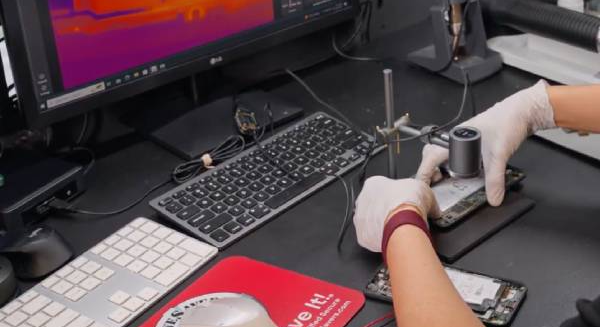
After the CPU was reinstalled and the processor was functioning, the Pixel device still wouldn’t boot. The engineers turned their attention to the power circuitry. Using a thermal camera, multimeter, and power injection tools, they identified a failed MOSFET — a component responsible for sending voltage to a control chip related to secure data access.
The failed MOSFET was removed and replaced with a new one of the same specification. This restored full power to the board and allowed the phone to enter a stable, recoverable state — enabling the data recovery process to begin.

Recovering Data from the Google Pixel Phone
Using DriveSavers Data Recovery’s proprietary tools developed specifically for Android, engineers recovered over 91GB of data from the device, including years of photos, videos, text messages, MMS, attachments, call history, contacts, calendar events, and app-specific files.
Our data extraction process goes beyond simply copying files. We use specialised techniques to ensure that recovered content — especially complex file types — remains intact, accessible, and complete. All data sets are double-checked for accuracy, and a verified backup is made prior to shipment to help safeguard the information in case of future loss.
The recovered files were then organised into clearly labeled folders to make navigation easy for the customer.
What Made This Google Pixel Recovery Unique
The Pixel device had two unrelated but equally severe board-level problems:
- 1. A disconnected CPU that prevented all communication
- 2. A failed power component that blocked access to secure storage
Neither issue showed up during visual inspection. Both required advanced diagnostics and precise board-level rework.
Final Thoughts
This case shows that even an unresponsive Google Pixel phone isn’t the end of the road. With the right tools, methods, and experience, full data recovery is still possible — even from smartphones with severe hardware failure.
Whether the problem is physical damage, firmware corruption, or an inaccessible device running a custom OS, the DriveSavers team specialises in complex recoveries and is equipped to recover data when others can’t.
Related Posts


 English (United States)
  English (Australia)
  French (France)
  English (UK)
  French (Canada)
  English (Canada)
  Spanish
  Japanese