


NAND Flash SSD Lifespan: How Long Do SSDs Last?

A NAND flash SSD stores your data in flash memory chips that wear out slowly each time they are written. Most modern SSDs last many years in normal use. For a typical home or office user, the drive is often replaced for being too small or too slow before its flash memory wears out. SSD lifespan depends mainly on the type of NAND flash inside, how much data you write to it, and the endurance rating the manufacturer gives it.
This guide explains what NAND flash is, how NAND flash memory in an SSD wears out, what endurance ratings like TBW mean, how to check your drive’s health, and what to do if an SSD starts to fail.
What is NAND Flash Memory in an SSD?
NAND flash is the memory inside SSDs, USB flash drives, and memory cards. It is non-volatile, which means it keeps your data when the power is off.
Data is stored as an electrical charge inside tiny memory cells. Cells are grouped into pages, and pages are grouped into blocks. The SSD’s controller manages where data is written and read.
Each cell has a few key parts:
- A control gate, which regulates the flow of current.
- A floating gate (or a charge trap layer in many newer designs), which holds the charge that represents your data.
- Thin oxide layers that insulate the stored charge.
- Source and drain connections and a substrate.
For a deeper technical walkthrough, see our guide to how NAND flash works.

Why Does NAND Flash Wear Out?
Writing and erasing a cell uses a relatively high voltage. Over many cycles, this stress slowly damages the insulating oxide layer. A damaged cell starts to leak charge. When it can no longer hold a charge reliably, the data stored there can become corrupted, and the cell is eventually retired.
This is normal behavior for flash memory. It is the main reason every SSD has a finite write endurance.
Types of NAND Flash and Their Endurance
The more bits a cell stores, the more voltage levels it must tell apart. That increases capacity and lowers cost, but it reduces endurance. Endurance is measured in program/erase (P/E) cycles: how many times a block can be written and erased before it wears out.
Kingston gives these typical figures in its NAND guide:
Exact numbers vary by manufacturer and product. Many drives also use part of their TLC or QLC flash in a faster, more durable single-bit mode (often called pSLC) as a cache.
Most current SSDs use 3D NAND, which stacks cells vertically in many layers. This increases density and, according to Kingston, improves endurance and power efficiency compared with older flat (2D) NAND.
How Long Do SSDs Last?
The best answer for any specific drive is its endurance rating, usually listed on the spec sheet as TBW or DWPD.
What is TBW?
TBW stands for terabytes written. It is the total amount of data the manufacturer says you can write to the drive over its usable life. A drive rated at 600 TBW, for example, is expected to handle 600 terabytes of writes before it reaches its rated wear limit.
What is DWPD?
DWPD stands for drive writes per day. It tells you how many times you can fill the entire drive every day during the warranty period. Kingston uses this relationship:
DWPD = (TBW x 1,000) / (365 x warranty years x capacity in GB)
DWPD is used mostly for enterprise and data center SSDs. TBW is more common on consumer drives.
What This Means in Real Life
Most home users write far less data per day than their SSD’s rating allows. A user who mainly browses, works on documents, and streams video will usually not reach the TBW limit within the warranty period. Heavy workloads can be different:
- Gamers install and update very large game files.
- Video editors and other content creators read and write large media files constantly.
- Servers and databases may write around the clock, which is why enterprise drives are rated for much higher endurance.
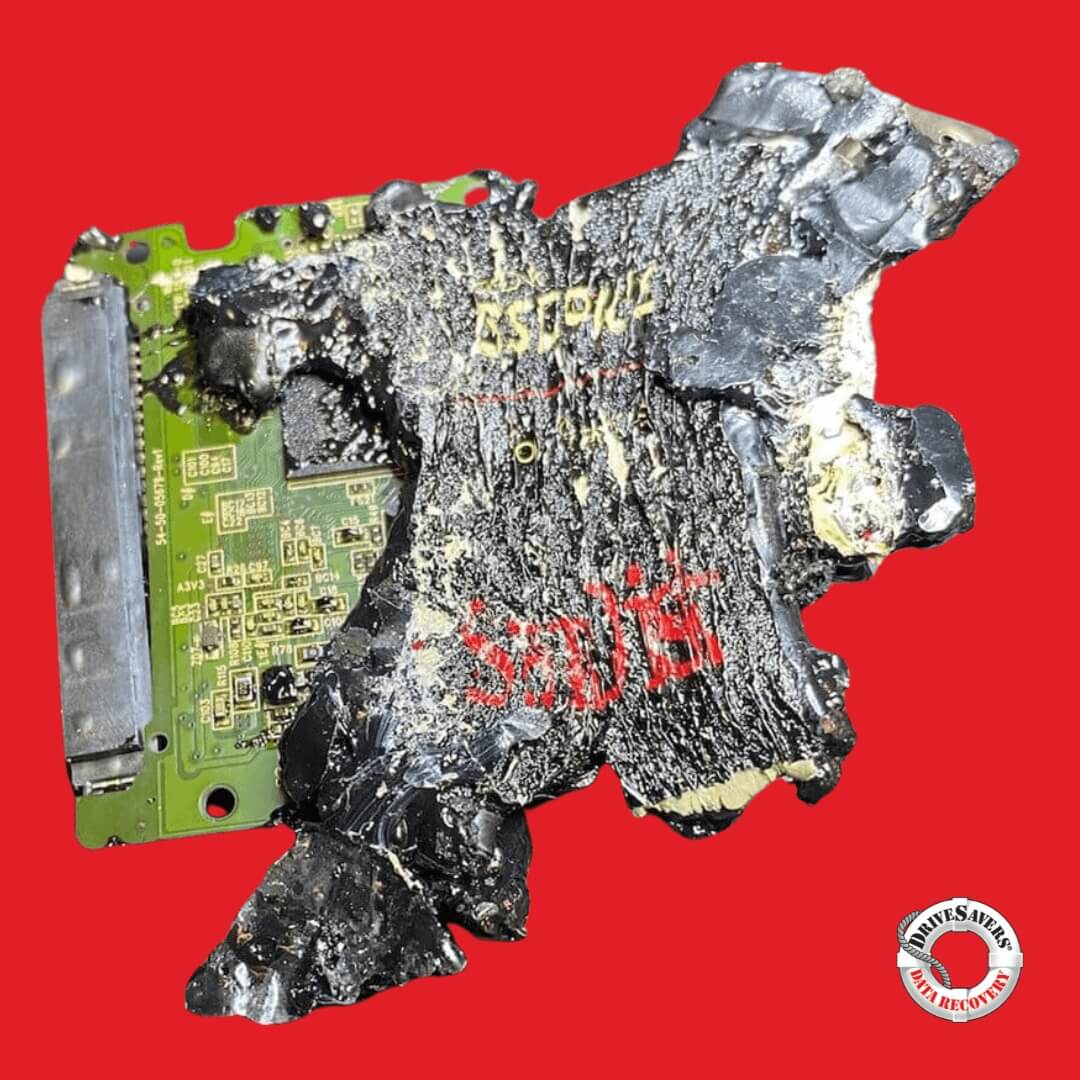
Keep in mind that SSDs can fail for reasons other than flash wear. Controller faults, firmware problems, power surges, and physical damage can all stop a drive without warning, even a new one.
What Else Affects SSD Lifespan?
Several technologies help an SSD last longer:
Wear leveling
The controller spreads writes evenly across all cells so no single area wears out early.
Error correction (ECC)
The controller detects and corrects small errors as cells age.
Over-provisioning
Reserved space you cannot see is used to replace worn blocks and keep performance steady.
Write amplification
The controller often writes more data internally than you send it. Lower write amplification means less wear. Leaving free space on the drive helps.
Heat
High temperatures stress components and can shorten data retention.
NAND flash chip quality
Not all flash chips are equal. Different drives can use NAND of different grades and types, which affects flash memory longevity. Because chip grades are rarely published, the endurance rating (TBW) and warranty length are the most useful public signs of how long a drive is designed to last.
How to Check Your SSD’s Health
Most SSDs report health data through SMART (Self-Monitoring, Analysis and Reporting Technology). NVMe drives report values such as “Percentage Used” and “Available Spare.”
Ways to read it:
Check health every few months, and before you trust a drive with important work.
Warning Signs of a Failing SSD
Check health every few months, and before you trust a drive with important work.
When to Stop and Get Help
If the drive holds data you cannot replace, stop troubleshooting when you see any of these:
Each power cycle and each repair attempt can make the situation worse. Running disk repair utilities or recovery software on a failing SSD can write new data to the drive, and the drive’s own background cleanup can permanently erase blocks. Power the drive down and contact a professional instead.
Can Data Be Recovered From a Failed SSD?
Often, yes. SSD recovery is different from hard drive recovery. There are no heads or platters. Instead, engineers may need to repair the electronics, work around firmware faults, or read the NAND chips and rebuild the data the controller had spread across them. Encryption adds another layer.
Deleted files are a special case. When you delete a file, the operating system usually sends a TRIM command, and the SSD erases those blocks during background cleanup. Once that happens, the deleted data is usually gone for good. If you deleted something important from an SSD, stop using the drive right away.
How to Protect Your Data and Extend SSD Life
Do not store an SSD unpowered for long periods as your only copy of important data. The JEDEC JESD218 standard specifies that a client SSD at the end of its rated endurance should keep data for at least one year powered off at 30 C. Retention can be shorter at higher temperatures. For long-term archives, keep multiple copies.
Ofte stillede spørgsmål
There is no single number. Many consumer SSDs carry a 3- or 5-year warranty with a TBW rating, and most typical users write far less than that rating. In practice, many drives last well beyond the warranty. Heavy write workloads shorten that time.
Yes, for most users. TLC is the mainstream standard. QLC has lower endurance, so it suits drives that mostly store and read files rather than drives that write large amounts of data every day.
A nearly full SSD has fewer free blocks for wear leveling, which can increase wear and slow the drive down. Leaving some space free is good practice.
Sometimes, but it is much harder than with a hard drive because of TRIM. Stop using the drive immediately and avoid installing recovery software on it.
It can, over a long time. Retention depends on wear and temperature. Do not rely on an unpowered SSD as your only long-term backup.
Get Help From SSD Recovery Specialists
Do not store an SSD unpowered for long periods as your only copy of important data. The JEDEC JESD218 standard specifies that a client SSD at the end of its rated endurance should keep data for at least one year powered off at 30 C. Retention can be shorter at higher temperatures. For long-term archives, keep multiple copies.
Your evaluation is free. If your data is not recoverable, you pay nothing under our No Data, No Charge policy.
Call us 24/7 at +1 (888) 440-2404 and request a free evaluation.

 English (United States)
 English (Australia)
 French (France)
 English (UK)
 French (Canada)
 English (Canada)
 Spanish (Mexico)
 German
 Dutch
 Italian
 Finnish
 Polish
 Norwegian
 Swedish
 Danish
 Spanish (Spain)
 Chinese
 Japanese
 German (Austria)