


What is Data Recovery?
Data recovery is the process of locating, accessing, and restoring files that have become unavailable due to accidental deletion, corruption, or device issues.
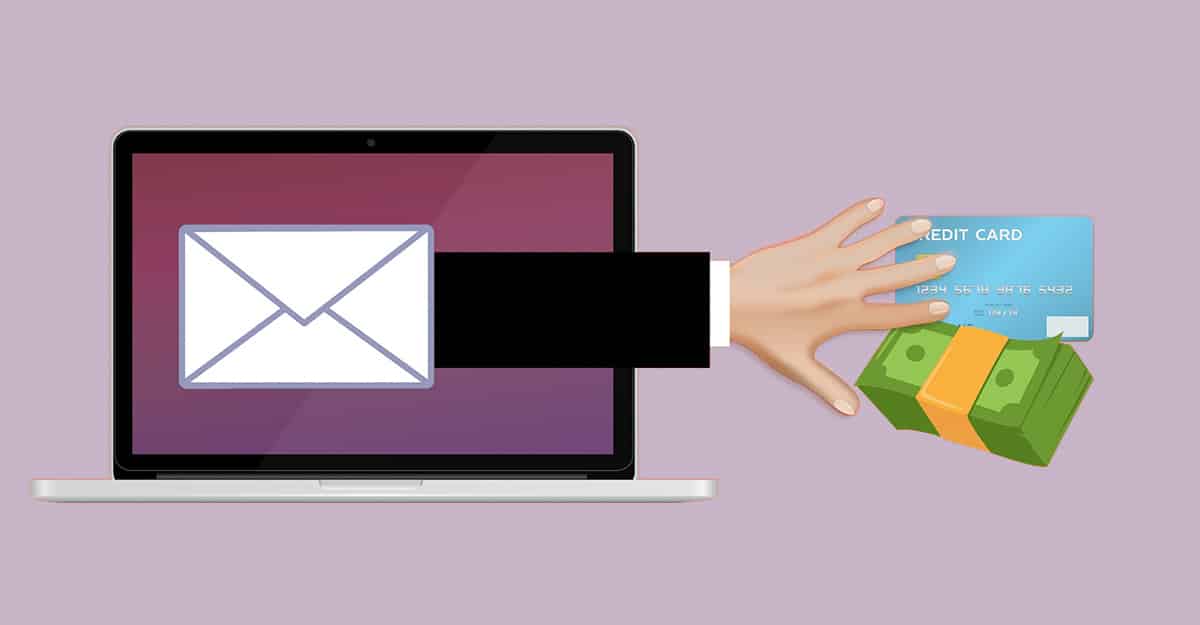
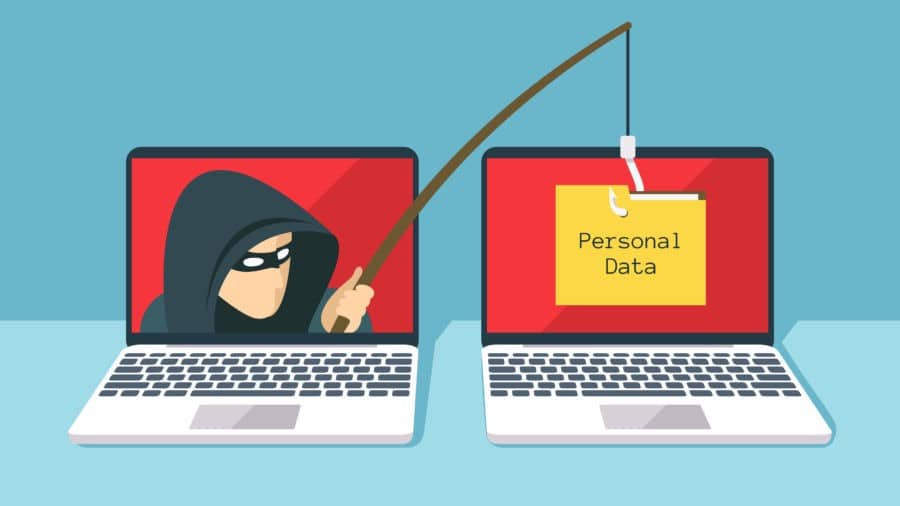
A lot of smart people are fooled every day by something that looks genuine, but isn’t! Phishing and malware attacks are designed to take something important from you and profit from the theft. This type of attack is directed at individuals and businesses alike.
Remember the big 2013 Target breach? This actually occurred when an employee of a small HVAC company opened a malware-laced phishing email, allowing the HVAC company’s system to be hacked. It just so happened that this particular company was contracted with one of the Target stores and had remote access for maintenance purposes. This allowed the hackers who accessed the little guy to jump right into the big guy’s system and gather more than 40 million debit and credit card numbers from Target’s point of sale (POS) system. But the initial target was the small HVAC company.
Protecting yourself from hackers should be simple: Don’t open email from strangers. Be suspicious of any links or attachments from unknown sources.
Here’s the problem: the hacker getting ready to send you a message wants you to think everything is okay and normal. They want you to trust them. So they disguise themselves in a way that gets you to do just that.
The ruse normally starts with an email that looks like it comes from someone you know or from a familiar company. It may even be sent directly from a friend’s email address that has been hacked or even spoofed to appear that it’s from your own address. Inside the message are links that look normal, but are actually a direct line to disaster.
They usually offer something of value in return for clicking their link, which will lead to a page disguised as a familiar website, such as Paypal, Google or even your bank. From here, you are tricked into providing valuable information:
Sometimes, the phishing email sent is intended to catch you off guard and frighten you into clicking a link. A common example is an email stating that a child predator has moved into your neighborhood. The end purpose, however, is the same.
You may not even realize this type of attack has happened until hours, days or even weeks later. By then, it may be too late to take any effective counter-action.
Like phishing scams, malware (short for malicious software) attacks are often sent to your email address disguised as a message from a trusted company, coworker or friend. They sometimes include links in the body of the email and sometimes include attachments for you to open or download.
If you click the link or open the attachment, this action will open up your computer and its contents to a stranger. The thief may work silently in the background, stealing files and data without your knowledge. Or the attachment you open may download a remote access tool (RAT) that allows the perpetrator complete control of your computer. Sometimes, infiltrators will plant ransomware, a bug that will encrypt the entire drive. The criminals then demand a ransom payment to let you have access to your own files!
Other information that could be taken include your address book, which the thieves will use to contact your friends (posing as you) and then infiltrate their systems in order to perpetuate the cycle of thievery.
It can be an almost never-ending scenario, unless you protect yourself first with proper security software and some common-sense defensive measures.
According to a Canadian government report, about 156 million phishing attempts are made every day around the world.
Only about 10 percent of the total (16 million) make it through computer security measures to the end user’s inbox. About half of the recipients (8 million) wind up opening the email and about 10 percent (800,000) of them will click on the link.
Eventually, about 80,000 (on average) will wind up unwittingly sharing personal or company data, giving the criminals access to private and valuable information.
Here’s a link to a cool graphic that explains how it works.
At the very least, install commercial anti-virus and anti-spam software and keep it current. Have these types of software installed on every computer you use. You should also use robust Internet security, starting with a strong firewall.
The AV-TEST Institute, an independent testing organization for IT security, does a great job breaking down its findings according to need (business, home user, Mac, Windows, mobile devices, etc.).
Always update and always patch. As software vendors recognize vulnerabilities in their products, updates and patches are developed and distributed. This is probably the easiest security measure you can take: simply turn on automatic updates.
But even the best security software will not protect you from the repercussions of all phishing attacks. The most important thing you can do is educate yourself, your family and your employees on how to recognize and avoid phishing attacks. Here are a few tips:
Here’s how DriveSavers IT manager, Chris Rosa, responded to a recent suspicious email inquiry.
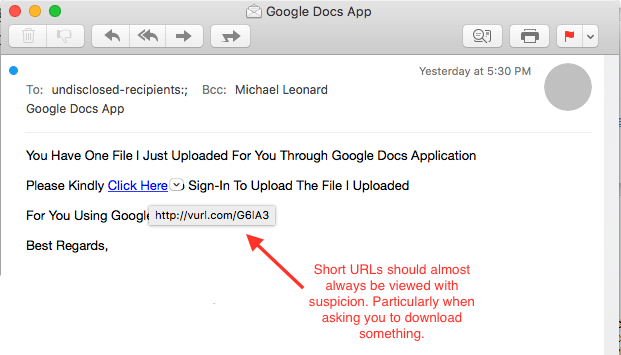
The email—sent to our Customer Service group—contained an Internet link which looked like the regular Google Apps interface. However, hovering the cursor over the suspect link revealed an address for a different location that turned out to be a known malicious site.
“Do not attempt to investigate the contents of the message on your own,” Rosa warned. “I checked this URL with a few services like virustotal.com and found that it had a hit as a malicious site.
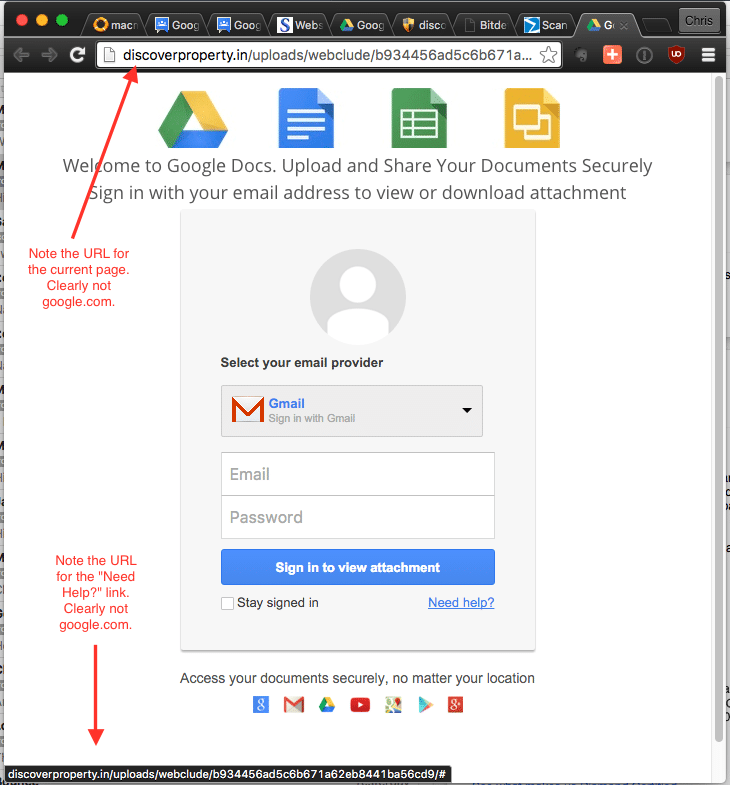
“I investigated further by opening the URL on a secured system. I was directed to the site in the screen capture below—a reasonable copy of a Google Docs login page,” he said. “Note that the URL for the page isn’t google.com, and none of the links on the page lead to a Google owned site.”
If in doubt about an email you receive, contact the person listed as the sender to verify with them directly before opening links within the email. If the “sender” did not send the email, definitely do not open any links in the message and delete the email right away.
Another avenue is to simply delete the suspected message and empty the trash. If the sender is bonafide and needs to communicate with you, then they will get back in touch. You may lose some time, but hopefully not your important data!
If you might have been tricked by a phishing email, you can file a report with the Federal Trade Commission at www.ftc.gov/complaint.

 English (United States) English (United States)
  English (Australia)
 French (France)
 English (UK)
 French (Canada)
 English (Canada)
 Spanish
 Japanese