


SSD 101: Guide to Solid-State Drive
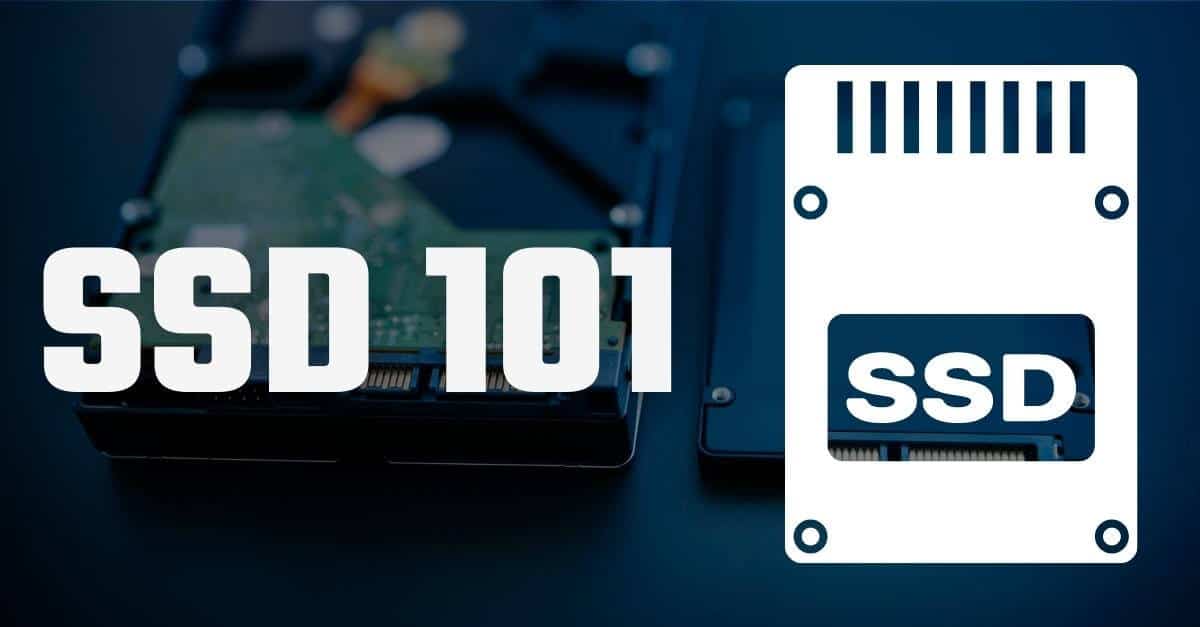
A solid-state drive (SSD) is one of the most popular, fastest, and energy-efficient solutions for storing and sharing information. Anyone dealing with SSD technology should know a few things about how these unique devices work. DriveSavers data recovery engineers have prepared the following “cheat sheet” to help you understand the technology behind these advanced data storage machines.
Unlike a traditional electro-mechanical drive, a solid-state drive has no moving parts. Instead, the SSD uses NAND flash memory chips to store data. Additionally, instead of writing data to spinning platters (HDD or hard disk drive), an SSD stores data on an array of those memory chips.
Early SSDs had capacities much smaller than the average HDD and a much higher cost. Today, the typical SSD stores 1-2TB of data, and there are enterprise-level SSDs that can store up to 100TB. In addition, as the storage capacity rises year over year, the cost differences are becoming smaller.
3D-cell layer-stacking technology – like the V-NAND from Samsung and 3D NAND from Toshiba and SanDisk – is rising as manufacturers try to squeeze more information into smaller and smaller spaces.
With 3D NAND technologies, the memory cells are stacked vertically in layers to achieve higher densities – a move that also helps reduce manufacturing costs.
At the enterprise level, manufacturers like PURE Storage and SolidFire/NetApp are making RAID systems that link multiple large SSDs together to provide even greater storage capacity.

List of key technical terms regarding solid-state drives
NVM Express
A logical controller interface through which the solid-state device communicates to a computer via a physical connection from the SSD’s M.2 or U.2 to the PCI Express slot on that computer’s motherboard is NVM Express.
NVM Express is similar to the USB connector on most portable hard drives. It was designed to maximize the bandwidth and performance of solid-state storage devices. This interface allows levels of parallelism found in modern SSDs to be fully utilized by the host hardware and software. As a result, NVM Express reduces I/O overhead and brings various performance improvements compared to previous logical device interfaces, including multiple, long command queues and reduced latency.
PCI Express (PCIE)
PCI Express (PCIe) is a high-speed serial connection on a computer that acts more like a network than a traditional bus. A bus is a communication system that transfers data between components inside a computer, or between different computers. Instead of one bus that handles data from multiple sources, PCI Express (PCIe) uses a switch that controls several point-to-point serial connections. These connections lead to the devices where the data is needed. Every device has its own connection, so there is no sharing of bandwidth like what occurs on a normal bus. PCle has other advances over the older standards, including higher throughput, smaller physical size, more detailed error detecting and reporting mechanisms along with greater support for I/O virtualization.
SLC, MLC, TLC, and QLC
The difference in these terms is somewhat self-explanatory. With a single-level cell (SLC), only one piece of information (one bit) is contained within a storage cell. Multi-Level cells (MLC) can hold two pieces (bits) of information, Triple-Level Cells TLCs can hold three bits of information per cell, and Quad-Level Cells (QLCs) can store four bits per cell.
控制器 (Controller)
A controller is a device used in both HDDs and SSDs to communicate with the host device and manage the data storage process. An SSD controller also manages more of the technical operations, including wear leveling and garbage collection (see definitions above).
Garbage Collection
As stated by TechTerms.com, “NAND is not an acronym. Instead, the term is short for ‘NOT AND,’ a boolean operator and logic gate. The NAND operator produces a FALSE value only if both values of its two inputs are TRUE. It may be contrasted with the NOR operator, which only produces a TRUE value if both inputs are FALSE.”
M.2
This physical interface, formerly known as the Next Generation Form Factor (NGFF), is a specification for internally mounted computer expansion cards and associated connectors. It replaces the mSATA standard, which uses the PCI Express Mini Card physical card layout and connectors.
BIT
The process through which the controller balances the writing and erasing of data across the storage area of an SSD is wear leveling. The idea is similar to rotating the tires on your car and including the spare tire in the rotation to spread the wear evenly on all tires. With an SSD, the usage is spread across all available cells to prolong the operating life of the media.
Wear Leveling
The process through which the controller balances the writing and erasing of data across the storage area of an SSD is wear leveling. The idea is similar to rotating the tires on your car and including the spare tire in the rotation to spread the wear evenly on all tires. With an SSD, the usage is spread across all available cells to prolong the operating life of the media.
NAND
As stated by TechTerms.com, “NAND is not an acronym. Instead, the term is short for ‘NOT AND,’ a boolean operator and logic gate. The NAND operator produces a FALSE value only if both values of its two inputs are TRUE. It may be contrasted with the NOR operator, which only produces a TRUE value if both inputs are FALSE.”
U.2
U.2 is the upgraded external physical cable interface, formerly known as Sata Express, for connecting external storage devices to the PCI Express port on the backplane of the computer.
TRIM
The action that identifies blocks of data that are no longer needed (on an SSD) and can be wiped for re-use. This process happens quickly and, in most cases, automatically.
P/E Cycle
P/E Cycle, or Program Erase Cycle, is a way to measure how many times the storage areas of a solid-state drive can be written to, deleted, and then re-used.
SSD 数据恢复
Recovering data from SSDs is far more complex than from HDDs.
Current generation solid-state drive controllers feature ever-evolving technologies like compression, deduplication, and high-level encryption protocols. They protect the security of stored data and provide up to 100x greater data protection than leading enterprise HDDs.
However, these complex and highly proprietary features can create some data recovery challenges when an unexpected failure occurs. To overcome the hurdle of encryption, DriveSavers data recovery engineers are trained and certified by leading encryption vendors to safely recover file and hardware-level encrypted data from SSDs and other storage devices.
In some instances, SSD data recovery requires advanced microsoldering techniques to transplant critical microchips to a functional PCB (printed circuit board). Microchips must be handled with the greatest care. If components are mishandled, microscopic damage may occur. In addition, excessive heat or force can cause permanent damage to the microchips, rendering the data unrecoverable.
Through diligent, dedicated research and development, DriveSavers engineers have determined the optimal techniques for safe and effective data recovery while minimizing the risk of data loss. These techniques require specialized equipment and a skillful approach.

 English (United States)
  English (Australia)
  French (France)
  English (UK)
  French (Canada)
  English (Canada)
  Spanish (Mexico)
  German
  Dutch
Dutch  Italian
  Finnish
  Polish
  Norwegian
  Swedish
  Danish
  Spanish (Spain)
  Chinese
  Japanese
  German (Austria)