


9 Tips for Stronger Passwords and the Future of Authentication
Weak passwords can make it easy for someone to access your business or personal data. Strong passwords are essential, and the evolving landscape of digital security is pointing towards even more secure and convenient solutions, such as passkeys.
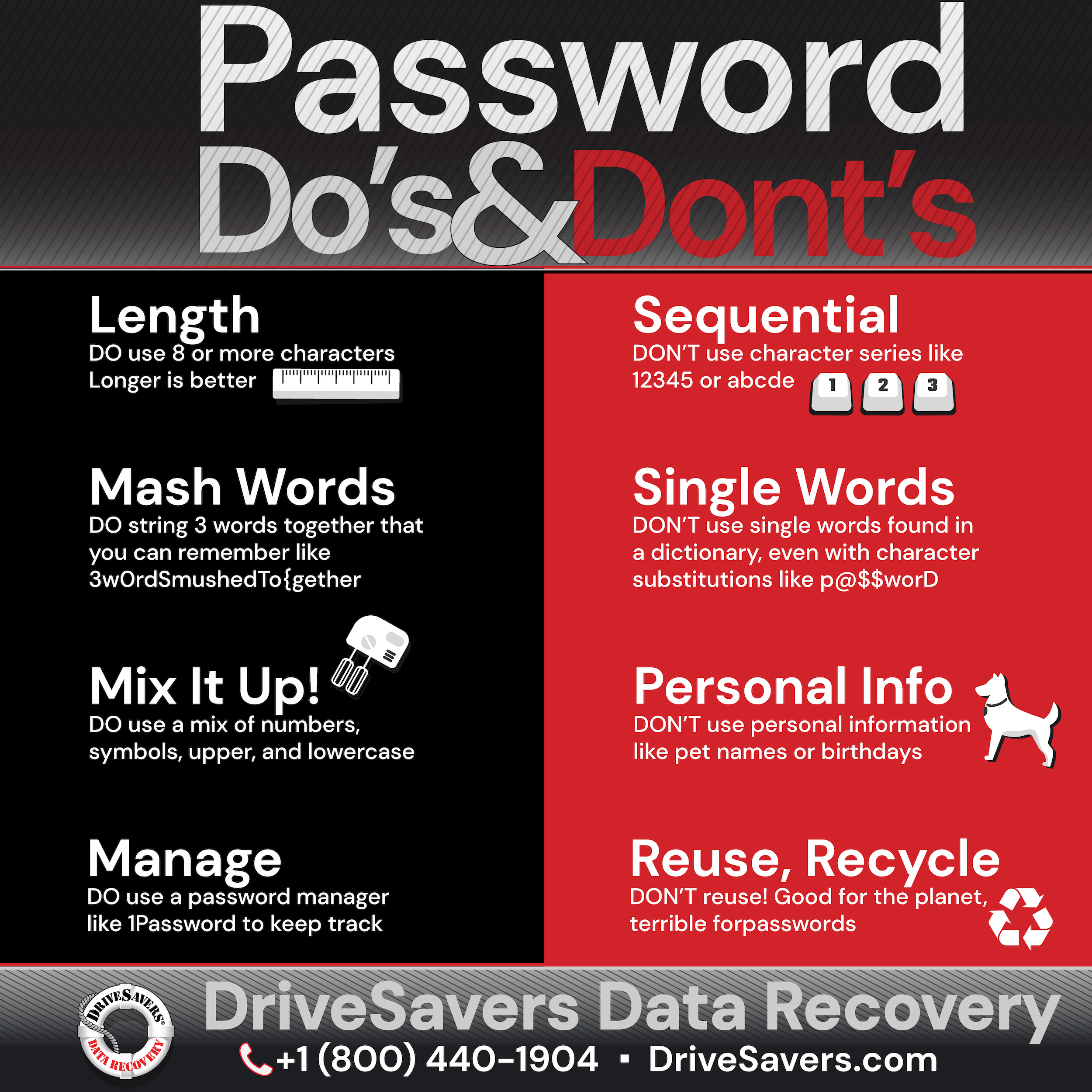
Here are some effective tips for creating strong passwords and a look at the future with passkeys.
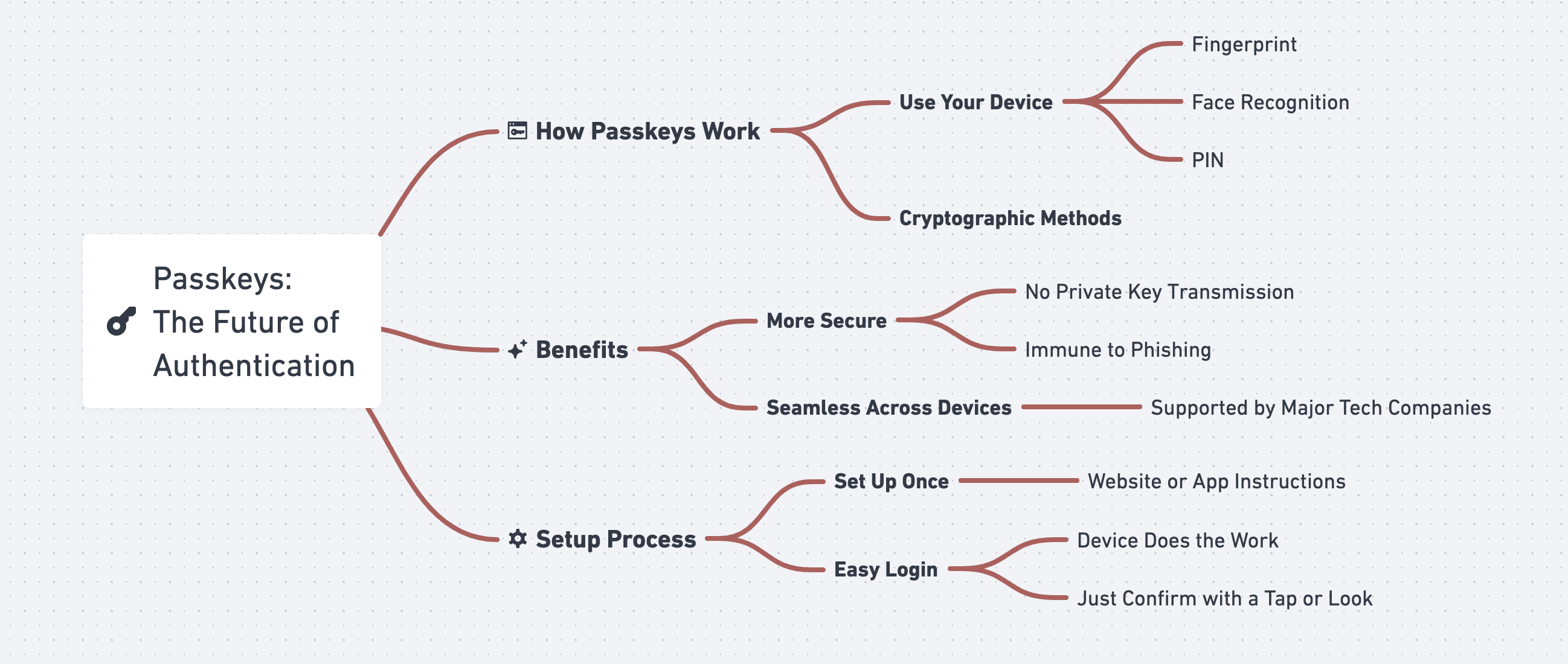
A passkey is a new, technologically advanced way to log into websites and apps without having to remember a password. You just use your device to prove it’s really you. This could be as simple as unlocking your phone with your fingerprint, face, or PIN.
Passkeys offer a more secure alternative to traditional passwords. They because they use cryptographic methods to authenticate users without transmitting a private key, making them immune to phishing and theft. Major tech companies are embracing passkeys, providing seamless use across multiple devices and platforms.
To start using passkeys, you usually need to set them up once with each website or app you use by following their instructions. After that, whenever you want to log in, your device will do most of the work—just confirm that it’s you with a tap or by looking at your phone. This means no more struggling to remember different passwords for every account, making your online life both easier and safer.
Maintaining strong password practices is crucial in today’s digital world, where our online accounts hold valuable personal information and sensitive data. However, as technology advances, we need to look ahead to even more secure and user-friendly authentication methods.
The adoption of passkeys is gaining momentum, with major tech companies like Apple, Google, and Microsoft collaborating on industry-wide standards. As more online services integrate passkey support, we can expect a gradual shift away from traditional passwords towards a more secure and convenient authentication future.
While it’s essential to maintain robust password practices today, looking ahead to innovations like passkeys can prepare us for a more secure digital future characterized by improved security, usability, and cross-platform compatibility.

Call DriveSavers Day or Night to Get a Risk-free Estimate
Vi skickar ett kostnadsfritt expressfraktetikett via e-post och ringer dig med resultaten från utvärderingen samt kostnaden för återställningen. Om uppgifterna inte kan återställas eller om du väljer att tacka nej till tjänsten, kostar det dig ingenting.

 English (United States)
  English (Australia)
  French (France)
  English (UK)
  French (Canada)
  English (Canada)
  Spanish (Mexico)
  German
  Dutch
Dutch  Italian
  Finnish
  Polish
  Norwegian
  Swedish
  Danish
  Spanish (Spain)
  Chinese
  Japanese
  German (Austria)